
How to Check Bhulekh UP online? (Guide)
UP bhulekh portal developed by revenue department of Uttar Pradesh. Anyone can check them land record online using upbhulekh.gov.in website. in this article, we guide to how to check your land record (khatoni) online in Uttar Pradesh.
How to Check Bhulekh online in Uttar Pradesh Using upbhulekh.gov.in?
You want to check Bhulekh Khatoni in Uttar Pradesh then need to visit the official portal of Bhulekh Uttar Pradesh: upbhulekh.gov.in. On the homepage, click on Khatoni option.
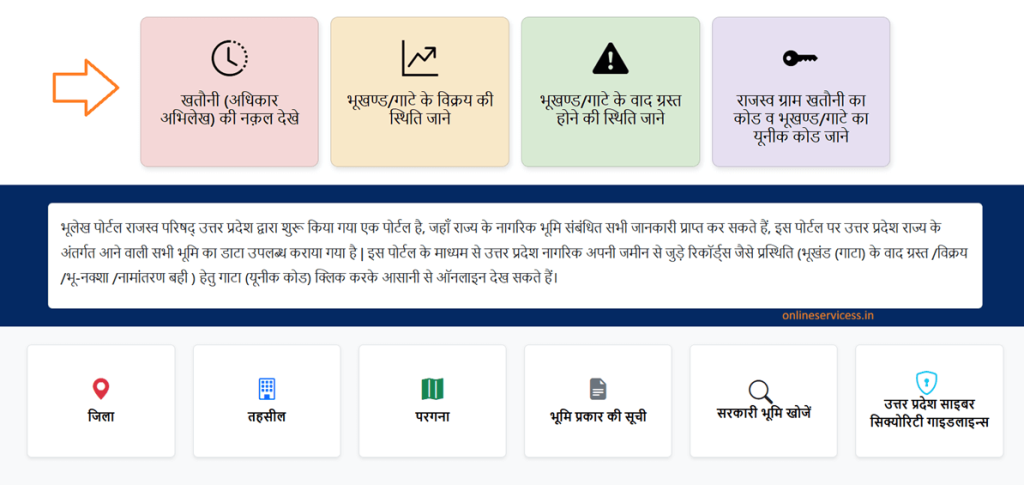
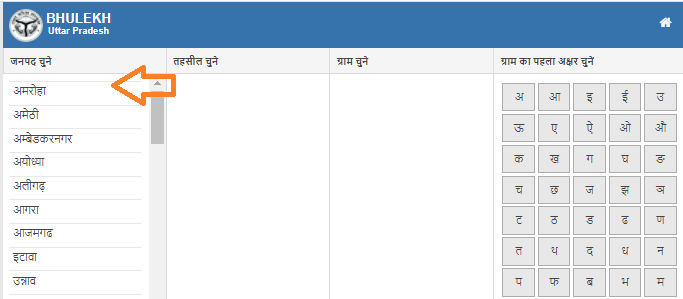
Now, you have to choose the district from the list as shown in the picture.
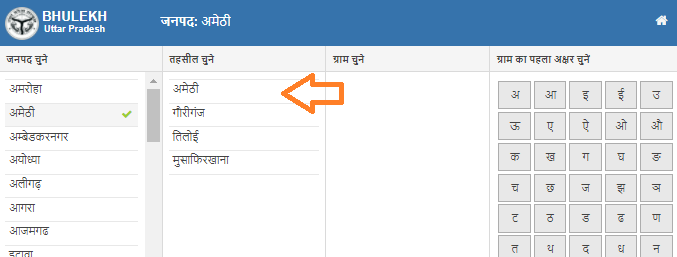
select the respective tehsil from the list.
Now select your village from list.
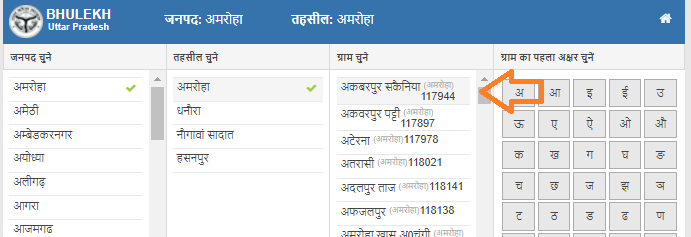
Enter the your valid Khasra number in the form.
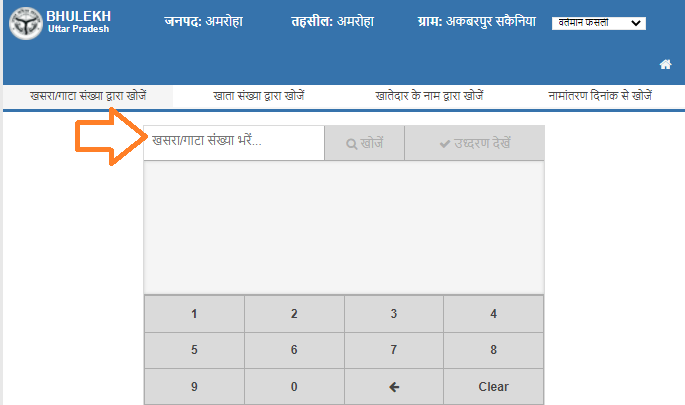
You are given three options to search. You can search by entering the Gata No./ measles or by account No. or by the name of the account holder.
After entering the valid credentials, you have to click on the “See Evaluation” button
Now, you can see the details of your account on your screen.
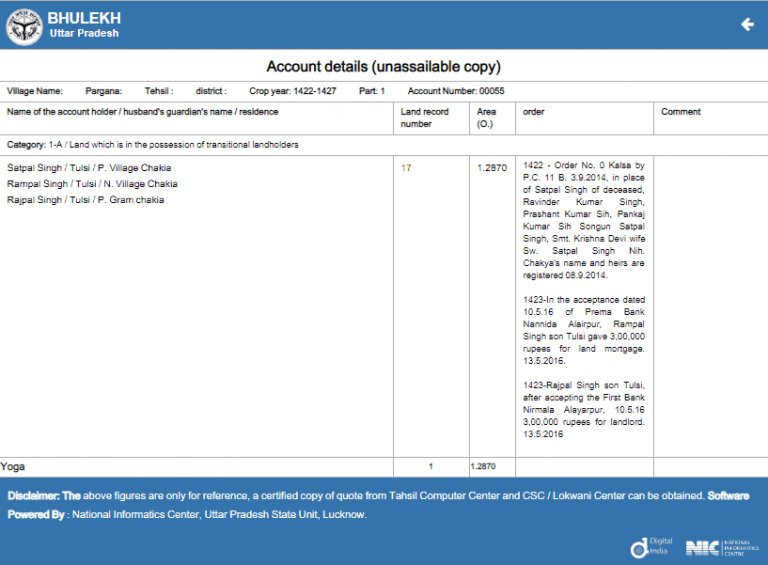
It includes information such as name of the account holder, crop year, district, area, land record number, order, area etc.
Finally, Print or save the Details for future reference.
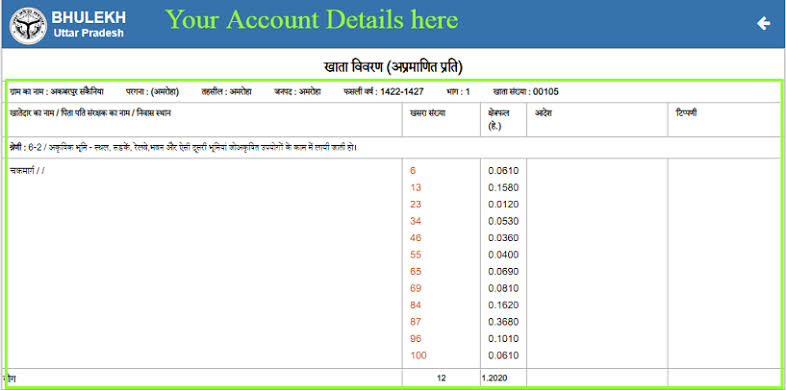
Complete information of the land in Bhulekh.

- Editor Staff
We have a strong background in digital publishing, SEO optimization, and content editing, with a focus on government services, transport, and online documentation guides.
- How to pay Virtual court challan online payment ? March 11, 2026
- How to check Land Record (Jamabandi) in Punjab ? March 9, 2026
- Egras Haryana - Check status, verify stamp, generate stamp, GRN number March 8, 2026
- How to check KALIA schema Beneficiary List in Odisha? March 8, 2026
- Instant e-PAN Card : Apply online And Download March 4, 2026