
How to Apply for EWS certificate online in Gujarat?
EWS certificate is provided to those who belong to the economically weaker section in our society. It is different from other backward classes, SC or ST categories. It’s a new kind of reservation which is applicable only for the General Category. The EWS sub-category is effective from 2019. The EWS bill was passed on 12 January 2019 by the Honourable President of India, Shri Ramnath Kovind. Gujarat is the first state to pass a bill on 14 January 2019.
By this, our Indian Constitution gives 10% reservation for general category candidates under the EWS sub-category. This 10% is only for General, not covering OBC, ST or SC categories. An EWS certificate cannot be considered as a caste certificate but as an income certificate. Candidates eligible for the EWS certificate, upon issuance of this certificate, receive a reservation in government jobs or in school/college admissions. But for this, the valid candidate has to provide a valid EWS certificate.
A candidate can apply for an EWS certificate either online or offline through designated resources. Here, we are going to discuss who is eligible for EWS, how to apply for EWS, which documents are required to get EWS, and the validity of the EWS certificate.
EWS Certificate Eligibility Criteria
The government of Gujarat defines this criterion. Candidate must go through this criteria to claim a reservation under the EWS sub-category. These criteria are given as follows:
- The candidate should belong to the General section
- He/she should not belong to any other reserved category like OBC , SC or ST
- The candidate’s family income should be 8 lakhs per annum
- The income of the family includes all resources such as agriculture, business, or salary, etc.
Table of Contents
How to apply for EWS Certificate online in Gujarat?
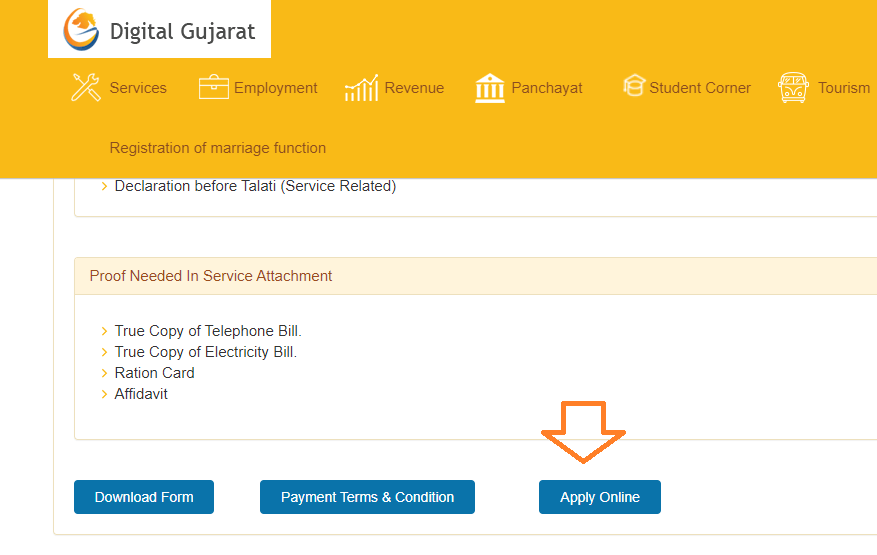
EWS Certificate can be applied for online in Gujarat. Then, the applicant has to go to digitalgujarat.gov.in, scroll down and click on apply online
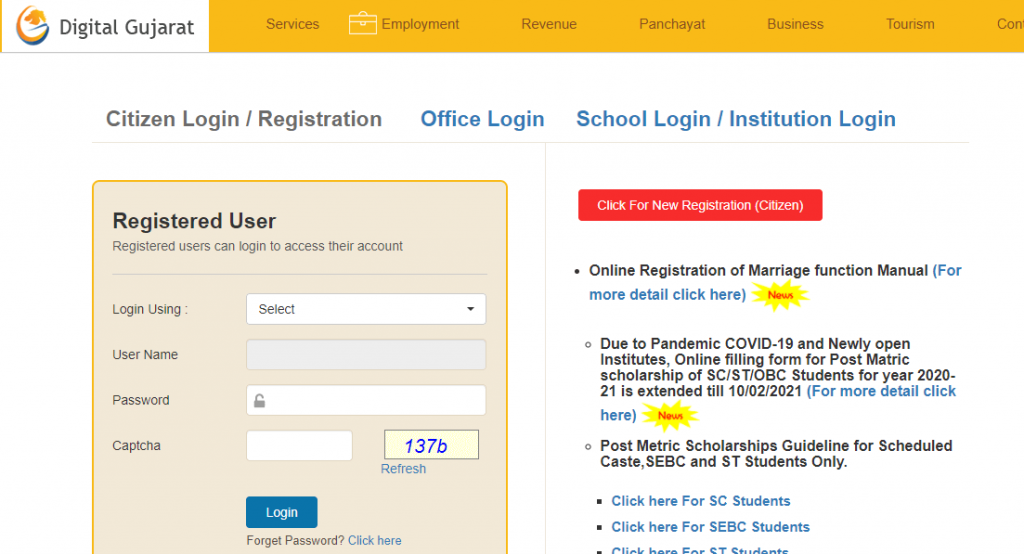
- Now Open Login Page (if not already user, please register first)
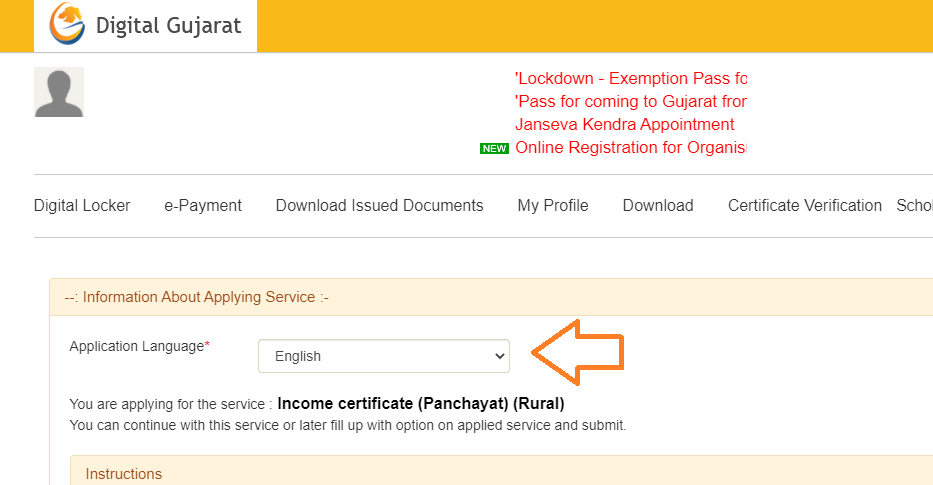
- After Login Select Form Language
- Select language and scroll down to enter the Aadhar card number
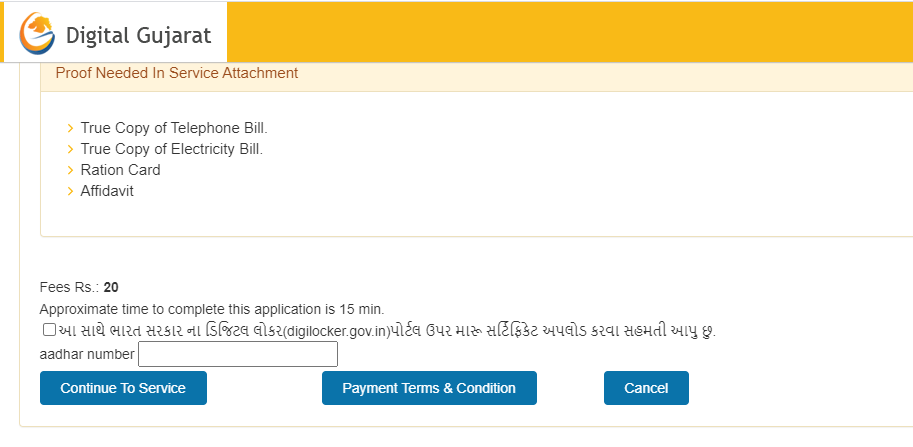
- After Enter Your adhar card number, click to continue
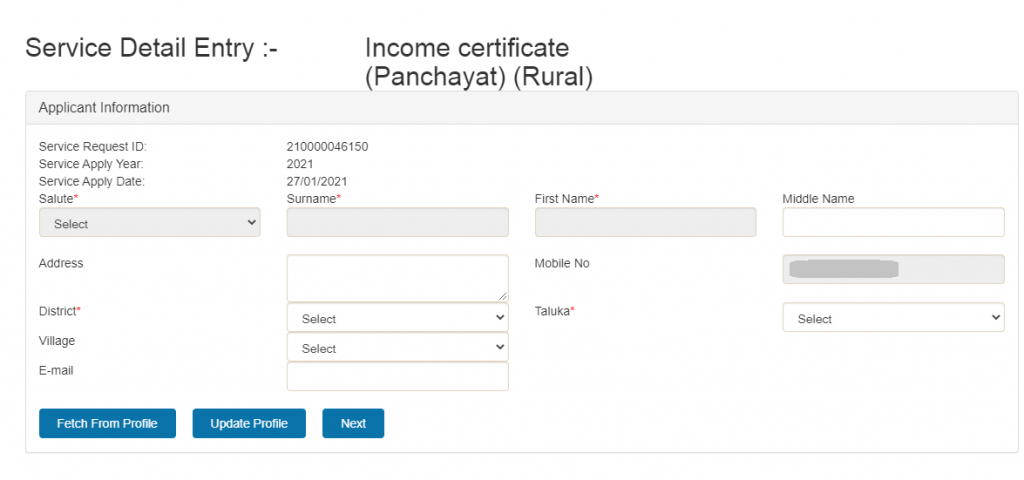
Now fill in all details in the form after clicking on next and generating a reference number. Keep it safe for future reference, upload the document and pay the fees
Now take some time to process validating your document. After validating your document, they inform to sms to your mobile number
Now you can go to the nearest zone office to collect your EWS certificates
How to apply for EWS Certificate offline?
EWS certificate can be applied for offline in Gujarat. To apply offline, follow the steps below:
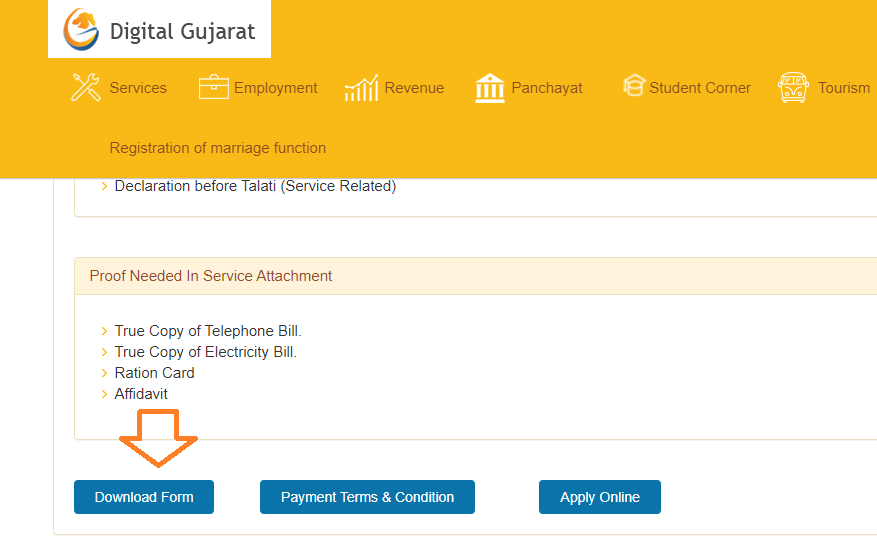
- To apply, the applicant has to go to the official Link: digitalgujarat.gov.in and scroll down to click on the download form
- The application form can be downloaded from
- Complete form , affix passport size photo
- Attach all required document
- Submit it to respective receiving authority office.
- Applicant should provide mobile number so he/she get SMS alert about status.
- Authorities will cross verify documents with original one ,if all is OK then it will be entered into respective registry or in computer for processing
- Reference number will be given to applicant while application is submitted. Keep it safe for future reference.
- Candidate make sure that all details are filled correctly and attached all required documents.
Documents required for EWS certificate
- Passport size photo
- Aadhar card
- ID proof(PAN card , voter ID etc)
- Income Proof
- Residential proof
Residence Proof Attachment (Any One)
- Ration Card
- True Copy of Electricity Bill.
- True Copy of Telephone Bill.
- True Copy of Election Card.
- True Copy of Passport
- Self Attested Copy of Aadhar Card
- First Page Of Bank PassBook/Cancelled Cheque
- Guarantee letter
Identity Proof Attachment (Any One)
- Identity Card
- True Copy of Election Card.
- True Copy Income Tax PAN Card.
- True Copy of Passport
- FORM-III for Application For previous sancation fpr transfer of immovable property Under clause(1) of sub section (3) of section 5
- Self Attested Copy of Aadhar Card
- BPL Letter ( with details of BPL No, index and Coefficient)
- Certified letter of building assessment details ( duly signed by talati )
Income Proof (Any One)
- Employer Certificate (if employed with Govt, Semi Govt or any Govt Undertaking)
- If salaried (Form :16-A and ITR for last 3 years)
- If in business (ITR of Business for last 3 years and Balance Sheet of Business)
- Declaration before Talati (Service Related)

- Editor Staff
We have a strong background in digital publishing, SEO optimization, and content editing, with a focus on government services, transport, and online documentation guides.
- Download Birth/Death certificate Nagpur | NMC Birth Certificate Download October 19, 2026
- Download Birth Certificate online in Madhya Pradesh | Madhya Pradesh Death Certificate Download October 17, 2026
- Birth & Death Certificate Bihar: Apply, Download, Check status October 15, 2026
- Download Birth and Death Certificate in Odisha - Easy to Apply Online October 12, 2026
- How to Find a Birth Certificate Online in Hyderabad October 10, 2026
in income proof we have to upload ITR form for past 3 financial years. So do we have to upload it one by one or by merging all 3 forms in single pdf form and then upload it?
yes, you can upload it.
I can’t find place for uploading ITR Form.
I submit it without uploadind ITR form is it ok?#
other option is income certificate,
In how many days certificate will be delivered if applied online
I don’t have my lc