
Find Vehicle Owner details by Number Plate (Registration Number)
Find Vehicle Owner details: You want to find vehicle owner details online by Registration number or Number plate. Easy to find vehicle details using Parivahan.gov.in website. You can check your RC status and find vehicle details. You can find all the vehicle owner all details, such as the owner’s name, owner’s address, vehicle types, vehicle fuel types, manufacture year and etc. So, let’s tell you about the method Step by Step.
If you want to check the details of the Vehicle Information Online with its vehicle number, You can know the details of vehicle from the chassis number or registration number, The chassis number is printed by the manufacturer and get all details about vehicle such as year of manufacture, company name, model number, engine number, fuel types, etc. if you want to know real details of vehicle then you check your vehicle chassis number. In this post guide to all questions, such as how to check vehicle details online, how to find vehicle details by registration number or number plate, how to check the fuel type of a vehicle online, Check owner’s name by number plate.
How to Find Vehicle Owner Details by Number Plate?
Find vehicle owner details by number plate online, then first visit the Vahan Parivahan official website: https://vahan.parivahan.gov.in.
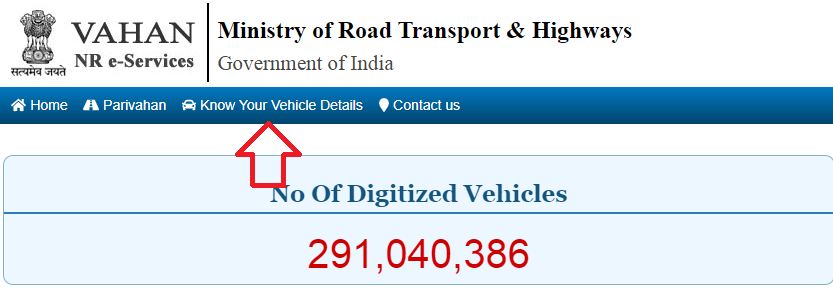
Now select the menu, click on know your vehicle details. and enter your mobile number.
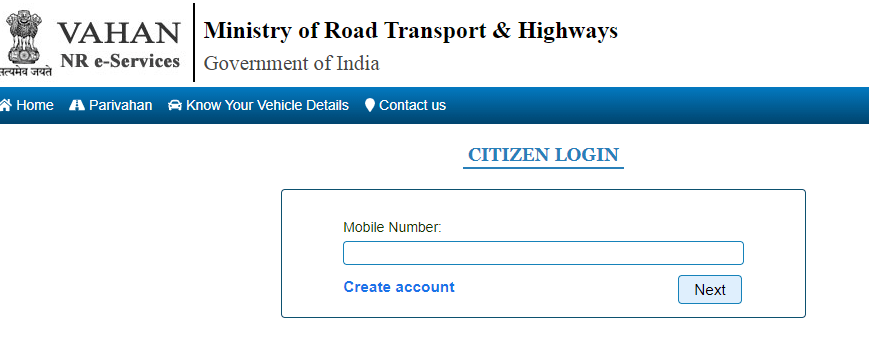
Enter vehicle number details and captcha code.
Click on the search vehicle button. The screen shows all details about the vehicle like a registration number, fuel type, chassis number, engine number, owner name, etc.
So, in this way, you can check the RC (Registration Certificate) of any vehicle online.
How to Check Vehicle Owner Details by Register Number, Chassis No.?
Check vehicle owner details online by registration number and chassis number in India. Follow the steps:
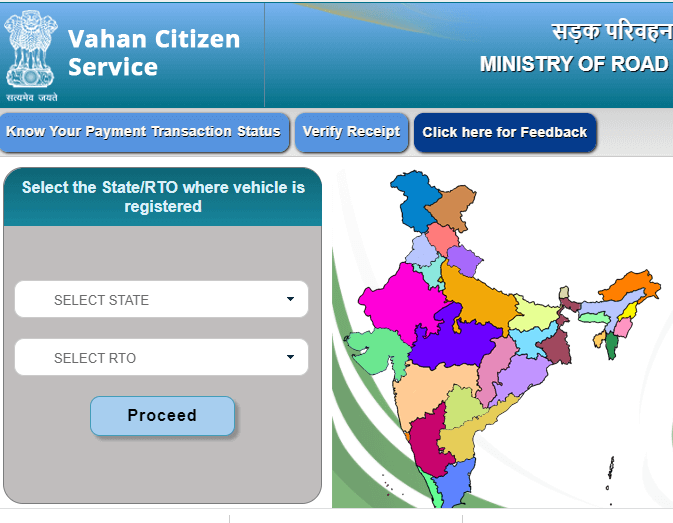
First to visit Vahan Parivahan website https://vahan.parivahan.gov.in/vahanservice/vahan/ui/statevalidation/homepage.xhtml. Now select your state and your RTO after click on Proceed button.
Now select menu to “status” -> “Know Your Vehicle Details”.
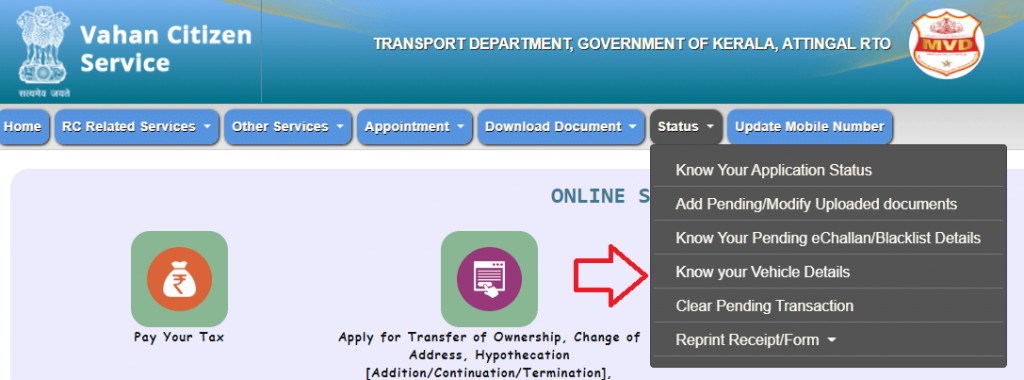
Enter your vehicle details : Registration Number, Chassis number, engine number.
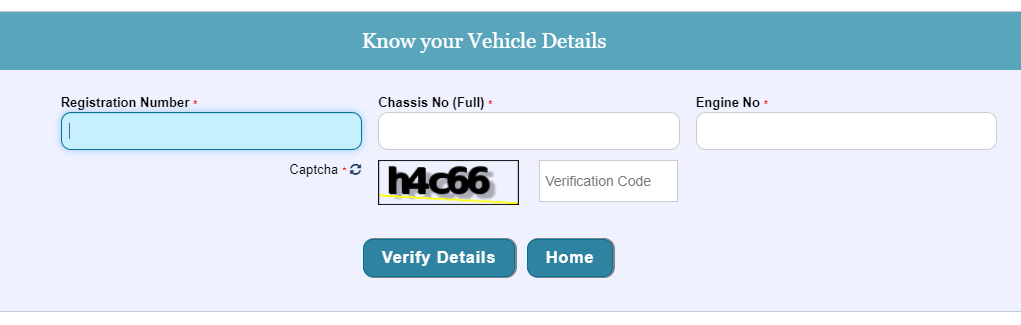
Click on Verify details and show your vehicle details on screen.
We can find out about any vehicle Owner Information through the RC of a vehicle. As someone who has been registered with the RTO, the owner’s name, registration date and other important information can be removed. An online facility is available to remove vehicle registration details.
How to find vehicle owner Details by SMS
You can message from any mobile 7738299899 On this number, you can message from any mobile phone in big letters of English by writing the vehicle <vehicle registration number> to the ten-digit number given above. You just have to type the registration number of the vehicle and put it in this field. Soon after, a message will come from this number on your mobile. In which the owner of the vehicle will have their registration number, model name, and number from the chassis number. Vehicle registration number check to send SMS 7738299899.
- Write in SMS On Your Mobile: VAHAN <Registration Number> and send it to 7738299899.
For Example:
- Write in SMS: VAHAN GJ02JJ2200 and send it to 7738299899
The information you received will be as follows:
1. Owner Name
2. Vehicle Type
3. RC/FC Expiry
Reference by: vahan.parivahan.gov.in

- Editor Staff
We have a strong background in digital publishing, SEO optimization, and content editing, with a focus on government services, transport, and online documentation guides.
- Download Birth/Death certificate Nagpur | NMC Birth Certificate Download October 19, 2026
- Download Birth Certificate online in Madhya Pradesh | Madhya Pradesh Death Certificate Download October 17, 2026
- Birth & Death Certificate Bihar: Apply, Download, Check status October 15, 2026
- Download Birth and Death Certificate in Odisha - Easy to Apply Online October 12, 2026
- How to Find a Birth Certificate Online in Hyderabad October 10, 2026
Vehcile number – DL 9SBR 9451
Pb29k 9344
Tn11p0580
GJ01UY3855
Kumarankit695318@gmail.com
Pb22 s5895
DL5SCA4245
PLEASE PROVIDE DETAILS
GJ02TT5184
Cg11am9710