
How to check Land Record (Jamabandi) in Punjab ?
Punjab Land Record data is managed by Punjab government. In this article, we have mentioned each and every step-by-step procedure through which you can check the different certificates and information related to your land while sitting at your house. We will share with you all the important aspects of the Punjab Land Record portal. How will we be able to watch all this online Land Record ?.
- People of Punjab will be able to view Khasra Khatoti online / Punjab Land records.
- People of Punjab will be able to extract their entire land details online by putting their Khasra number etc.
- People will not have to go to any more patwara.
- They will also be able to keep a printout of it.
How to check Land Record (Jamabandi) in Punjab?
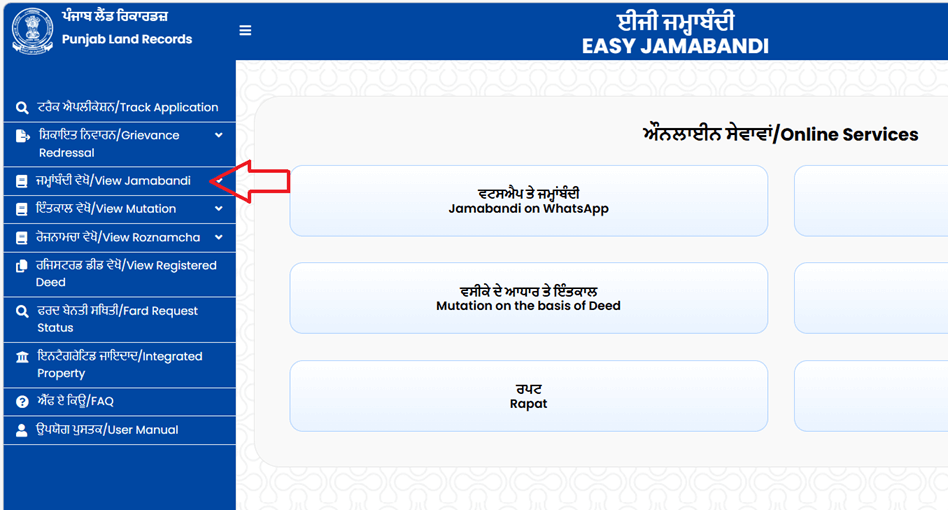
Any farmer who wants to check the Land Record (jamabandi) online in Punjab, first go to the Punjab land record official website http://jamabandi.punjab.gov.in/ and select the sidebar to View Jamabandi to Khasra number-wise.
step 2 : Now select Jamabandi period – current or previous
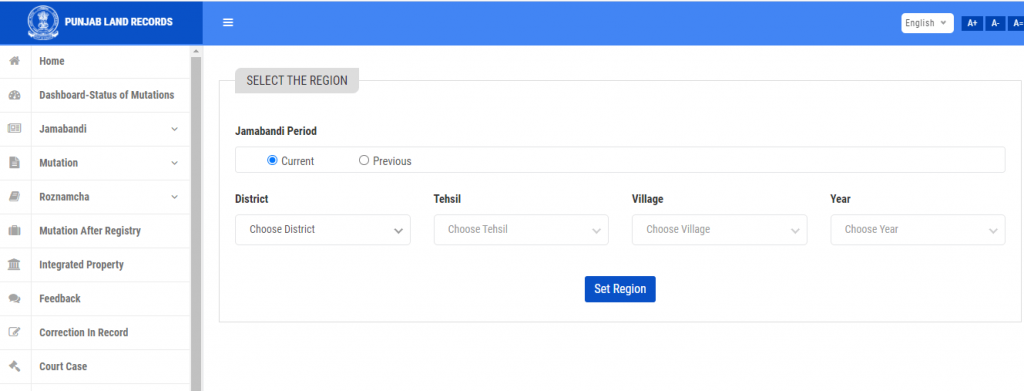
step 3 : Select the following-
- District
- tehsil
- Village
- year
step 4 : click on the ” set region button.
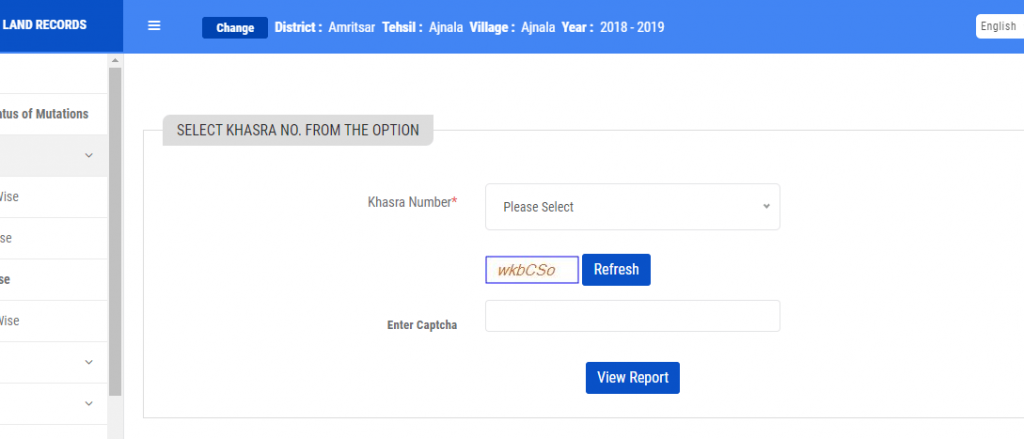
Step 5 : We check jamabandi, so click on the jamabandi option, next show four options like owner name wise, khewat no. wise, khasra no. wise, khatouni no. wise. Select any one – example we select khasra no. wise
step 6 : Enter Following details: 1. khasra number 2. Enter captcha and click the button View Report.
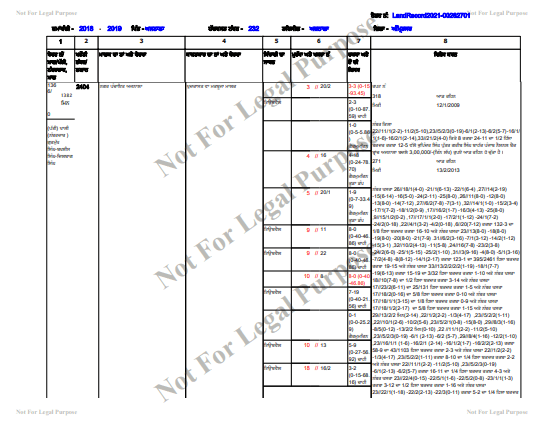
Now screen shows your jamabandi nakal
How to check Mutation in Punjab?
To check the Mutation on land in Punjab, you need to follow the step-by-step procedure mentioned below:-
Step 1: Go to the Punjab land record website: http://jamabandi.punjab.gov.in/ and click on the sidebar to View Mutation.
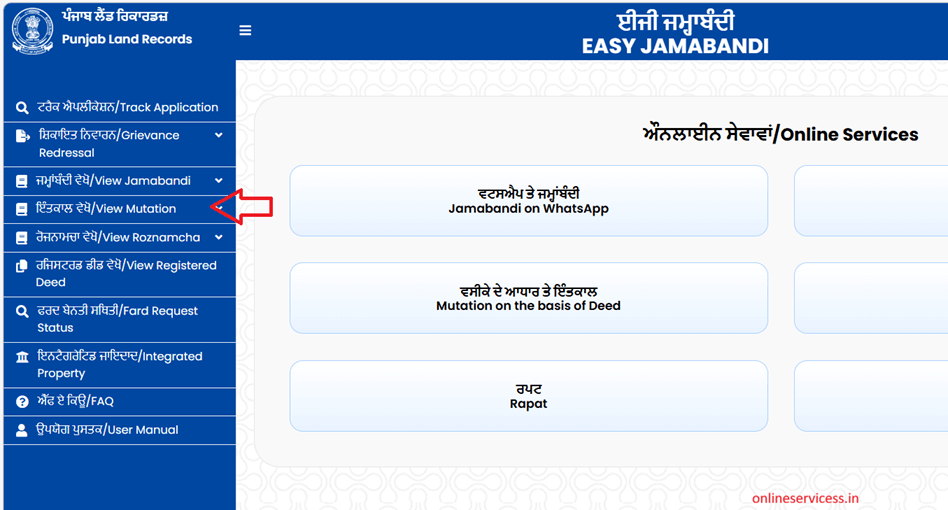
Step 2: Set your region means select the following property :
- District
- tehsil
- Village
- year
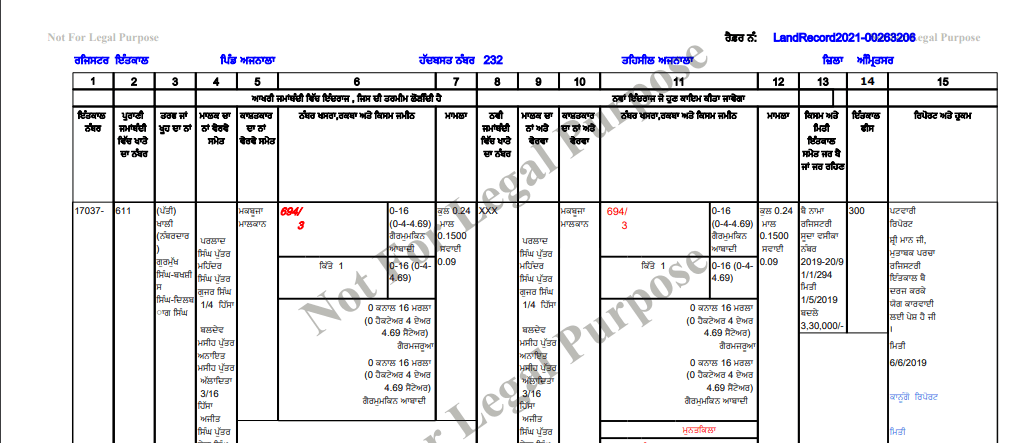
Step 4: Select your mutation number and enter the captcha
Step 5: After click to button, show your mutation details on the screen
How to Nakal verification on PLRS website
If you want the Nakal verification, then you can follow the simple procedure given below:-
Step 1 : First visit jamabandi punjab website
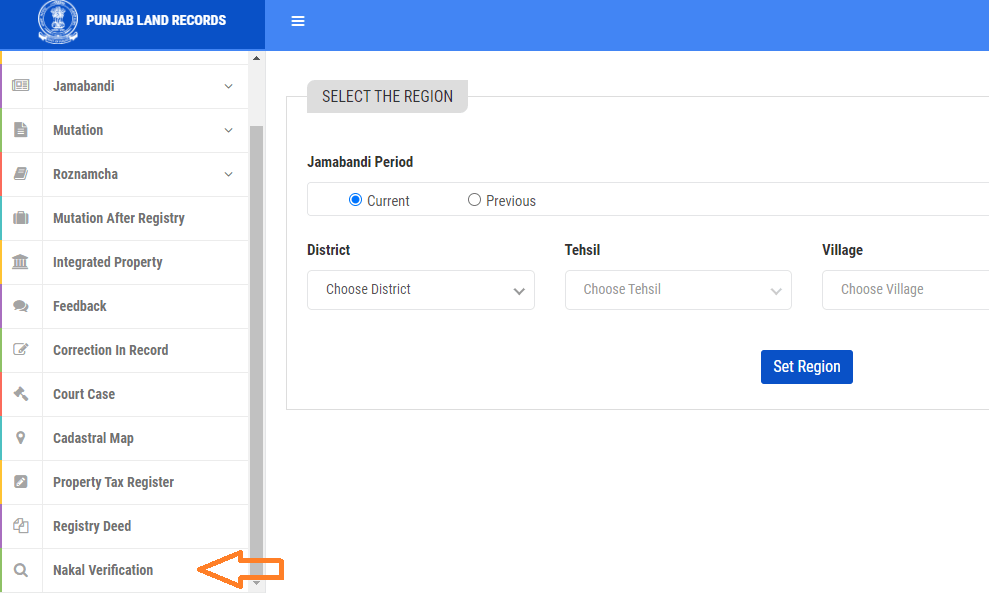
Step 2: Select the side menu to nakal verification option
Step 3 : Select the following-
- District
- Tehsil
- From Date
- To Date
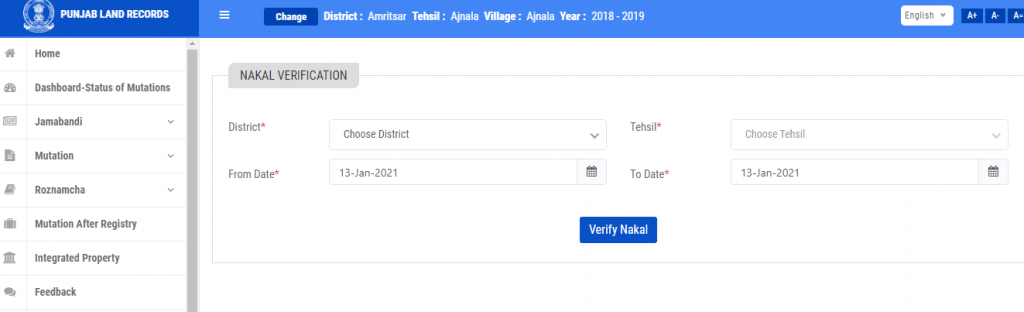
Step 4: Click on the verify nakal button and show your details in page.

- Editor Staff
We have a strong background in digital publishing, SEO optimization, and content editing, with a focus on government services, transport, and online documentation guides.
- How to find birth and death certificates online in Jaipur (Guide) September 30, 2026
- How to Download Birth and Death Certificates in Coimbatore Corporation? September 28, 2026
- Birth Certificate in West Bengal - Download, Registrations, Application Status September 27, 2026
- Birth Certificate Nashik Municipal Corporation(NMC) - Apply, Duplicate, Minor Correction September 26, 2026
- Download Birth and Death Certificates online in Madurai Corporation September 25, 2026