
Conductor Licence – Apply online using Parivahan Portal
Conductor Licence is very important for those who want to do a job as a conductor. A conductor license can be issued by the concerned RTO office and obtained online using the Parivhana website. Parivahan website provides a way to apply for a conductor licence online. “conductor”, in relation to a stage carriage, means a person engaged in collecting fares from passengers, regulating their entrance into, or exit from, the stage carriage, and performing such other functions as may be prescribed.
A government bus conductor needs a conductor licence if anyone wants to apply for a job as a conductor, they must have a conductor licence. In this post, we provide information for a conductor licence, such as a require document, eligibility, how to apply online, and fee details.
Read More: How to download conductor licence online?
Required Documents for Conductor Licence :
- Application form
- Passed SSLC/Equivalent Exam Certificate
- First AID Details
- Medical Fitness Certificate
- Address Proof
- Identification Proof
How to Apply for a Conductor Licence online using Parivahan ?
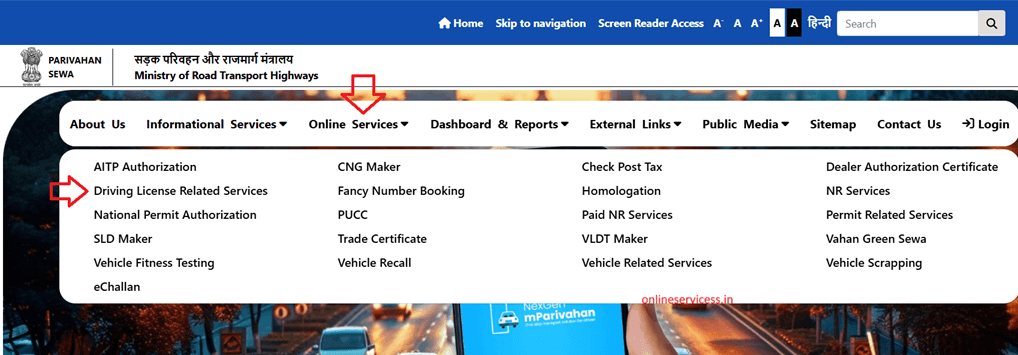
Anyone who wants to apply for a conductor licence online via the Parivahan website, first open parivahan website : parivahan.gov.in/. and select main menu to Online Service to Driving Licence Related Services.
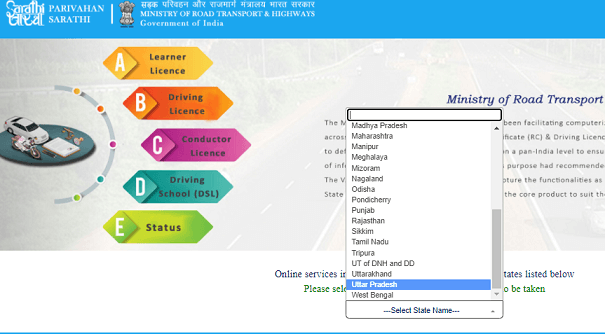
Now Select your state.
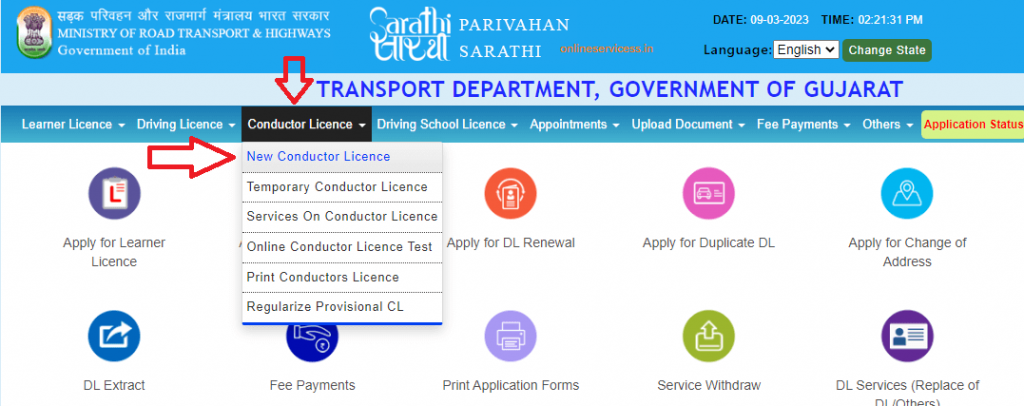
Select main menu to Conductor Licence to New Conductor Licence.
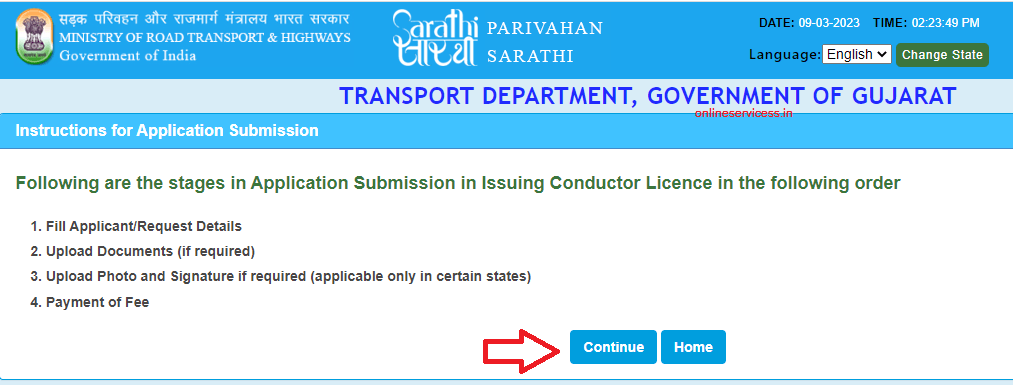
Show Instructions for Application Submission and click on Continues button.
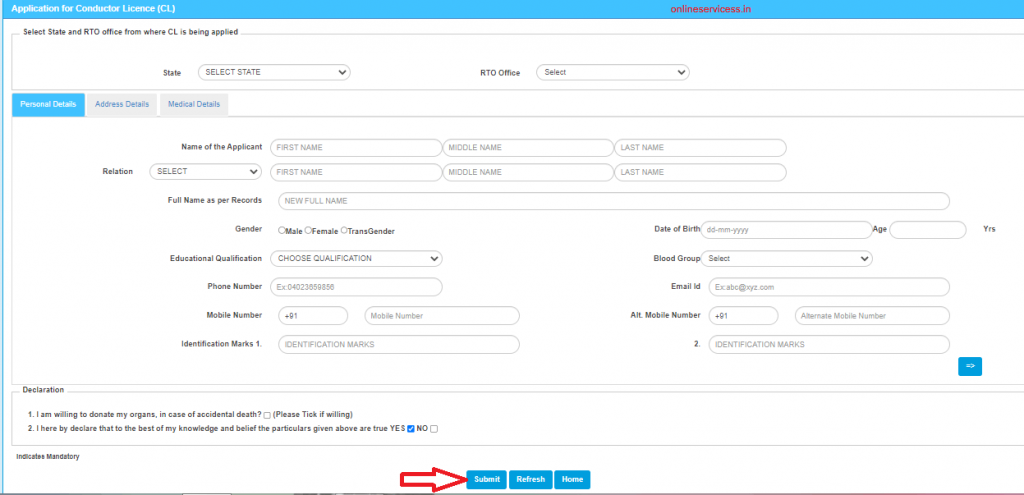
Provide the required information of Applicant- Name of the Applicant, Relation, Full Name as per Records, Gender, Date of Birth, Educational Qualification, Blood Group, Phone Number, Email Id, Mobile Number.
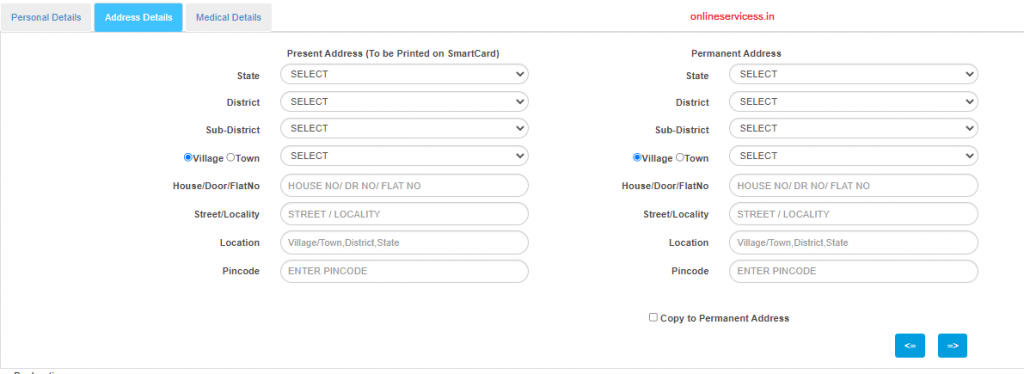
Provide detailed information on Address Details (Present Address & Permanent Address)
Provide detailed information on First AID Details, Medical Fitness Details
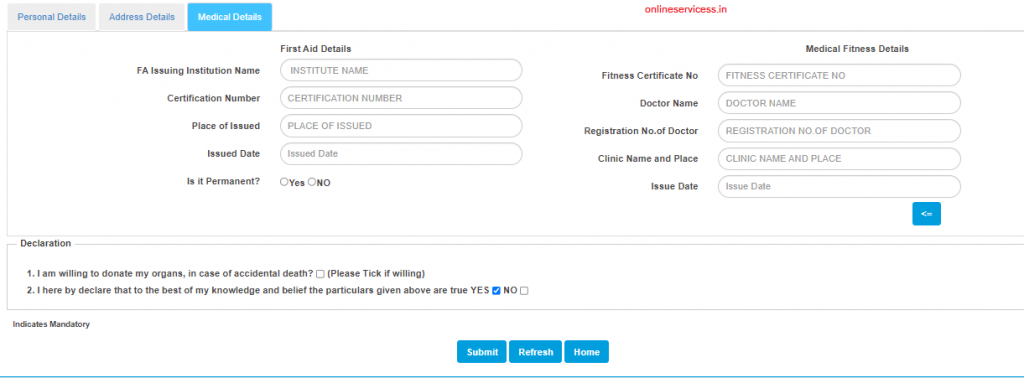
Click on the Declarations and Submit button and next upload the document for Address Proof, Identification Proof, and Blood Group.
After uploading the document, go for Make online Payment. Then go for a Book Slot after successful Payment
Visit the RTO for submission of the Application and Document Verification.
Reference by: parivahan.gov.in

- Editor Staff
We have a strong background in digital publishing, SEO optimization, and content editing, with a focus on government services, transport, and online documentation guides.
- Birth & Death Certificate Bihar: Apply, Download, Check status October 15, 2026
- Download Birth and Death Certificate in Odisha - Easy to Apply Online October 12, 2026
- How to Find a Birth Certificate Online in Hyderabad October 10, 2026
- Download Birth and death Certificate Chennai Corporation October 9, 2026
- How to Apply for a Birth Certificate in Uttar Pradesh? October 6, 2026