
How to Check Driving Licence Status – Step-by-Step guide
You don’t need to go to the RTO office to check the DL application status; an online facility is available on the Sarthi Parivahan website or the regional transport website. With the help of the Sarathi Parivahan website, you can check the application status of your driving licence, after 30 days of passing the driving skill test at the RTO.
How to Check Driving Licence Application Status online?
Anyone who wants to check the driving licence application status online in India, please follow the steps below:
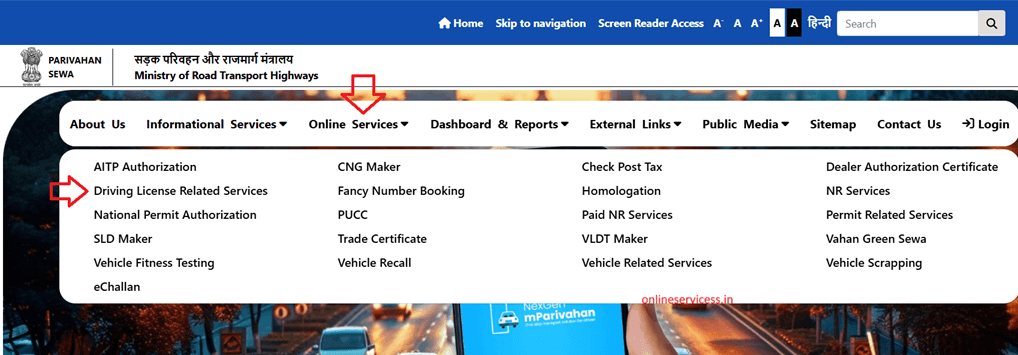
Step 1: Visit the Sarthi Parivahan website at https://parivahan.gov.in and open it.
Step 2: Select from the main menu to Online Services > Driving Licence Related Services.
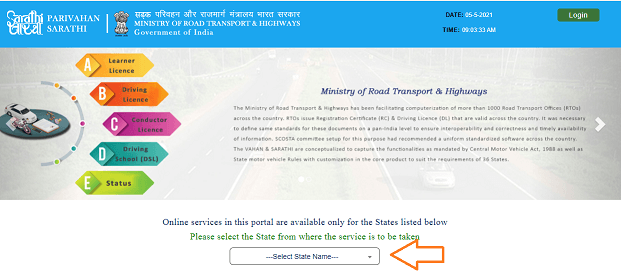
Step 3: Open a new page and select your state.
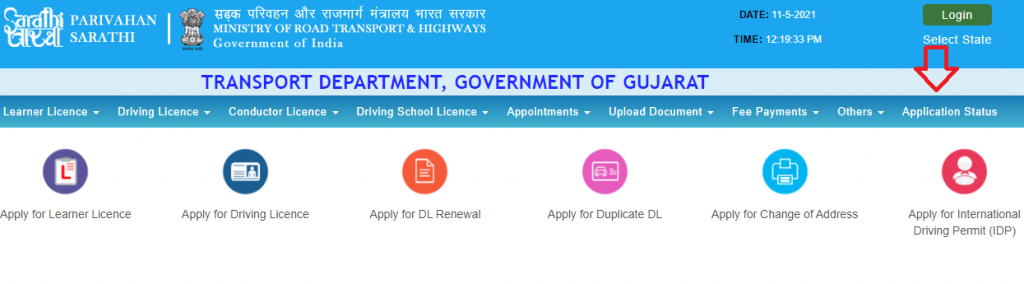
Step 4: Now select from the main menu to “Application status“
Step 5: Enter the application number, enter Date of Birth, and captcha code.
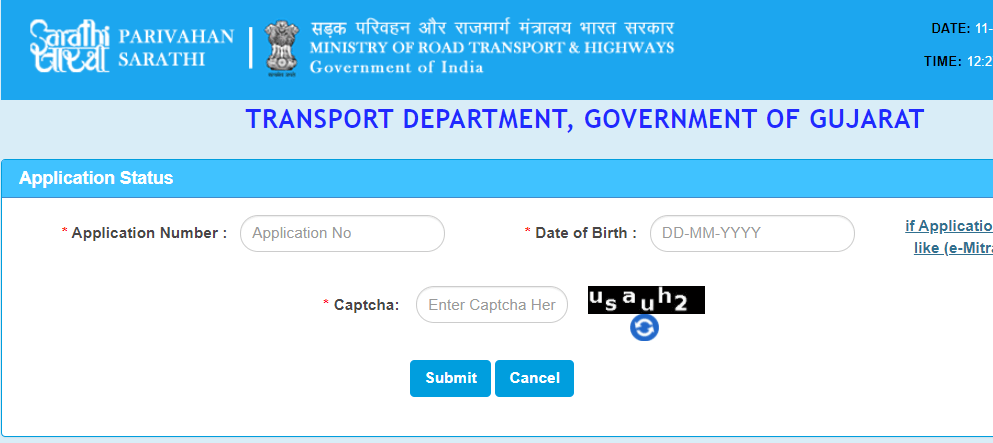
Step 6: Click on submit button and show your application status on your screen.
Refence by: https://parivahan.gov.in/
Watch video for DL status online.

- Editor Staff
We have a strong background in digital publishing, SEO optimization, and content editing, with a focus on government services, transport, and online documentation guides.
- How to Apply for a Duplicate Vehicle Registration Certificate (RC)? October 30, 2026
- Download Birth and Death Certificate in Surat (SMC) October 29, 2026
- Download Birth/Death Certificate PDF in Punjab - eseva.punjab.gov.in October 24, 2026
- How to Apply for an Income Certificate in Arunachal Pradesh and Download October 22, 2026
- How to Download Birth and Death Certificate Form in Ranchi? October 22, 2026