
How To Check your Name in Voter List?
A voter card is a very essential document for every Indian. Indians constitute give freedom for everyone to elect the right person in the election. Everyone has the right to vote if they are 18 years old. You can vote in an election, but you need a voter card ID or your name must be on the voter list.
Election Commission held a fair election and gave the right to voter. If you want to vote in the election then need to check your name in the voter list. If the name does not appear in the list, then contact the Electoral Registration Officer.
Read More : How to Download Voter Card PDF online in India ?
The all Indian voter list is available on election commition of India website. You can check your name in this list. every one access this list, but you need an E-pic number. E-pic number is your voter ID number.
How to Check your Name in the Voter List?
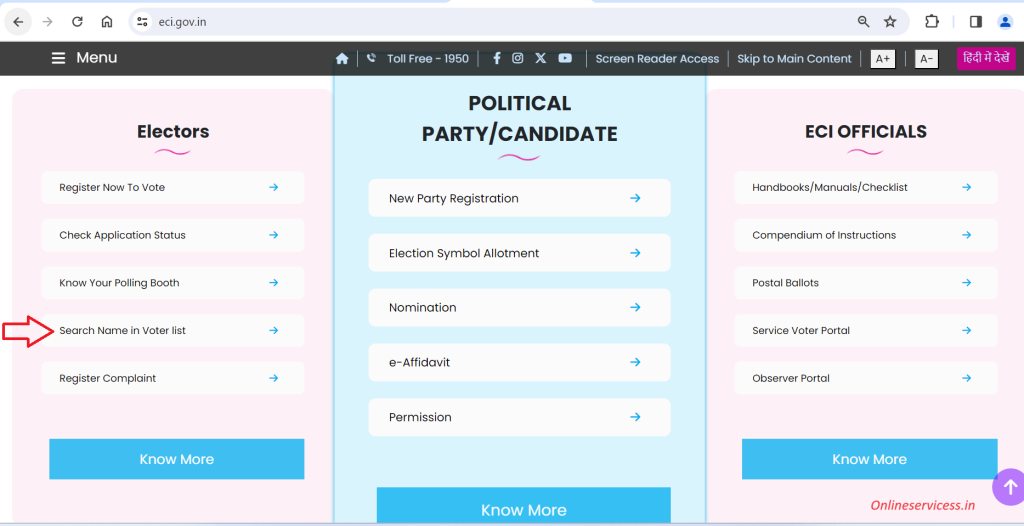
Easy to check your name in the voter list, then need to visit the Election Commission of India website: www.eci.gov.in. Open this website and scroll down. Select the Search Name in Voter List from the Electors section that will appear.
Now enter your E-pic number and state.
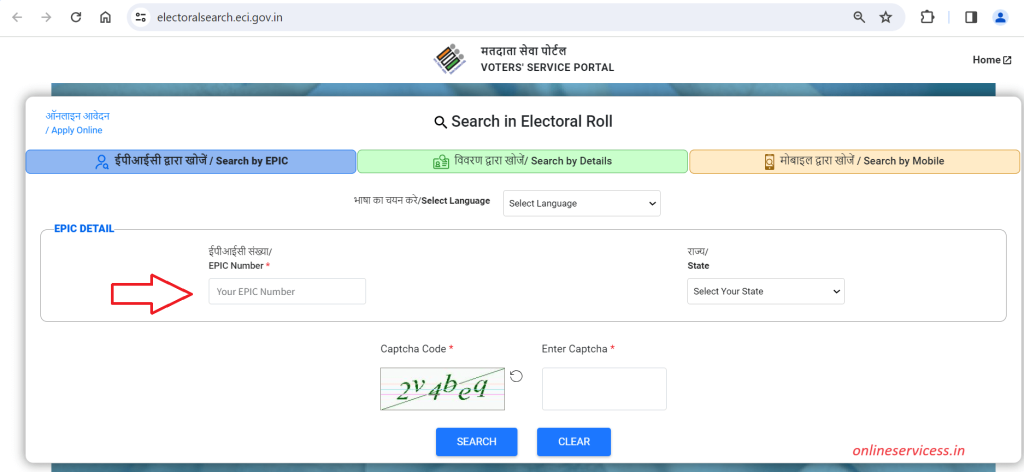
Click on Search Button and get your details on screen. If you are register for voting then will show your name.
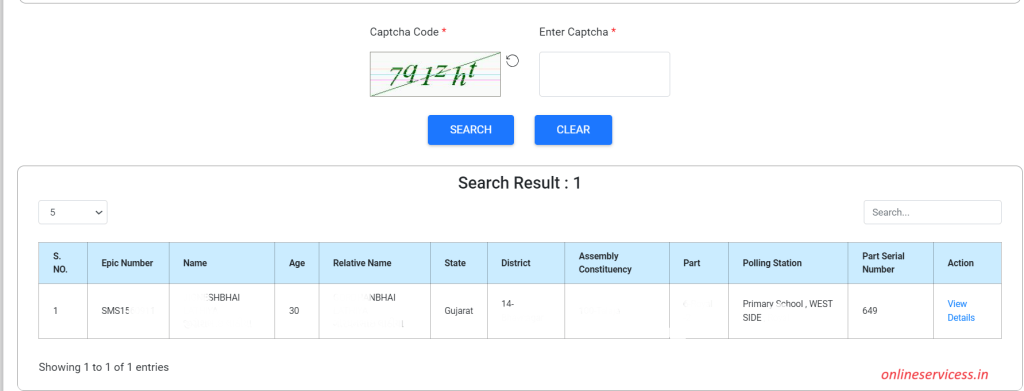
If you don’t show your name, then fill form 8, Application for new voter, then fill form 6.
Reference by: https://voters.eci.gov.in/

- Editor Staff
We have a strong background in digital publishing, SEO optimization, and content editing, with a focus on government services, transport, and online documentation guides.
- Download Birth/Death certificate Nagpur | NMC Birth Certificate Download October 19, 2026
- Download Birth Certificate online in Madhya Pradesh | Madhya Pradesh Death Certificate Download October 17, 2026
- Birth & Death Certificate Bihar: Apply, Download, Check status October 15, 2026
- Download Birth and Death Certificate in Odisha - Easy to Apply Online October 12, 2026
- How to Find a Birth Certificate Online in Hyderabad October 10, 2026