
Download Birth/Death Certificate PDF in Punjab – eseva.punjab.gov.in
The Punjab state government has started an online facility for making and download birth certificates. The e-Seva portal was launched by the Punjab state government. You can check or download a birth certificate online using e-seva Punjab website.
The citizens of the state can apply online and will get the Punjab Birth Certificate through the online portal. The state government records the legal information such as the date of birth of the child, date of birth, place of birth, name of parents etc., in the authorized certificate. Along with this, it also certifies the occurrence of childbirth. eseva.punjab.gov.in website offers many services such as Birth certificate service, Death certificate services, find birth record, find death record, and more.
In this post, a guide to how to download a birth certificate form in Punjab? How to check birth or death certificate application status in Punjab?
Table of Contents
How to Download Birth Certificate online in Punjab?
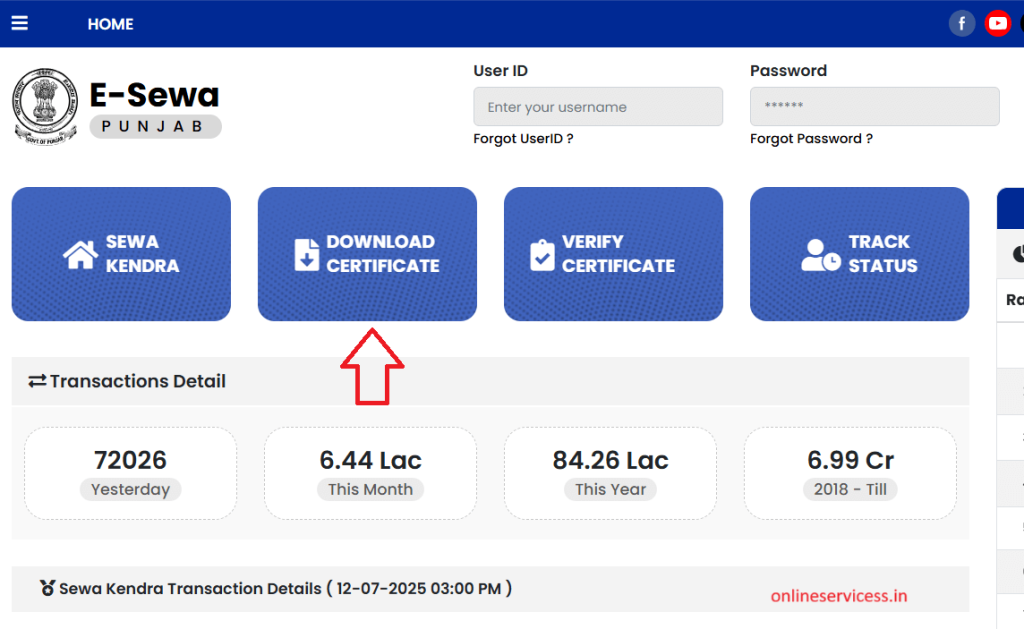
Anyone who wants to download (preview) a birth certificate in Punjab needs to open eseva.punjab.gov.in website. after open website click on Download Certificate option.
Now enter your application number and OTP will be sent to the registration mobile number, click on Download button.
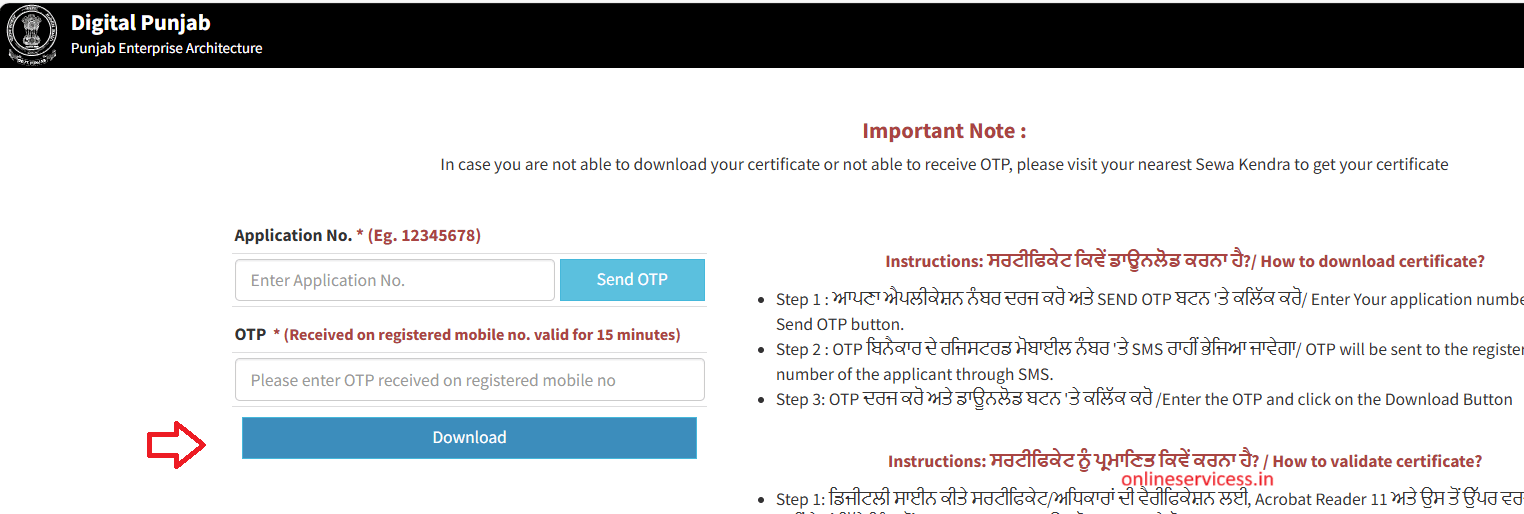
Now will be download birth certificate on computer or mobile.
How to check Birth Certificate application Status in Punjab?
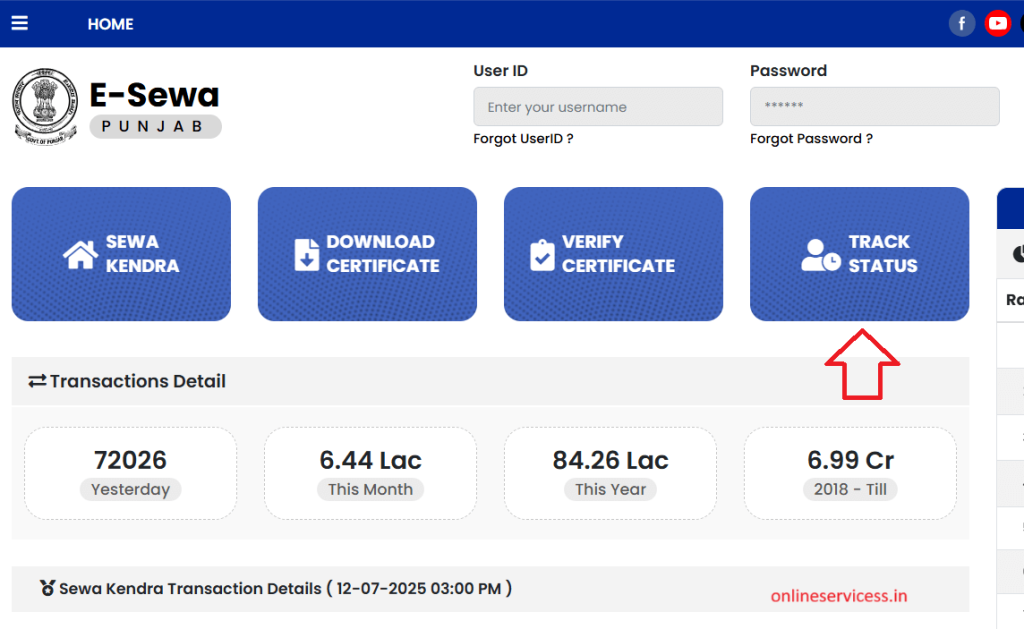
If you applied for birth certificate and want to check birth certificate application status in Punjab, then go to eseva.punjab.gov.in website. and click on Track Status option.
Now enter your Application ID and click on Generate OTP button.
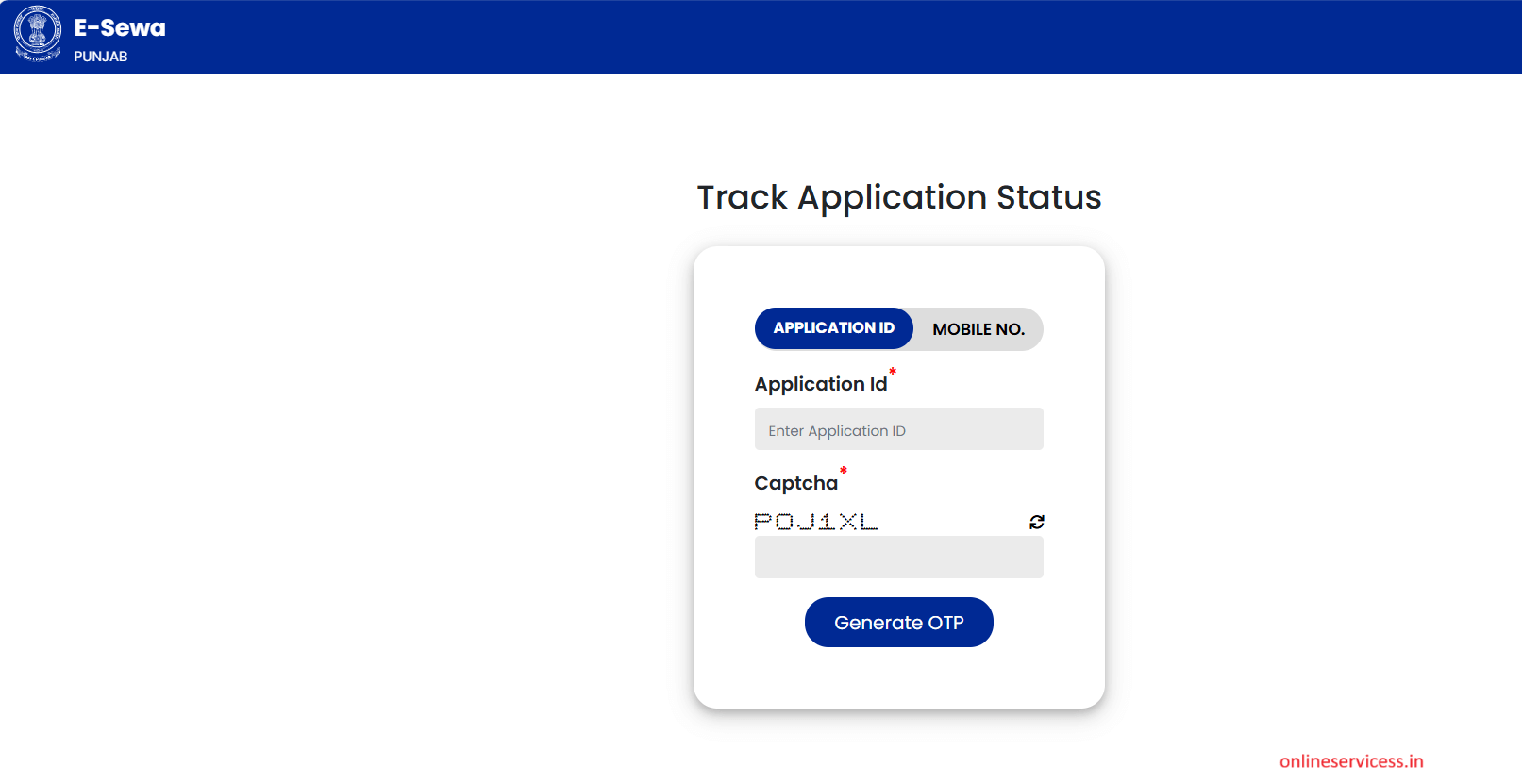
After verifying the OTP, the birth certificate application status should appear on your computer screen.
How to Download Death Certificate online in Punjab?
Citizen wants to download Death certificate online in Punjab then go to eseva.punjab.gov.in website. Open this website and click on Download Certificate button.
Now enter your document number and OTP will be generated.
Verify the OTP and download the death certificate on your computer screen.
How to check Death Certificate application Status in Punjab?
Check Death certificate application status in Punjab, then go to eseva.punjab.gov.in website. and click on Track Status button.
Now enter your Application ID and click on the Generate OTP button. OTP will be sent to your mobile number. A
After verify OTP, will be show application status on screen.
Reference By: eseva.punjab.gov.in
Read More:
How to check Land Record (Jamabandi) in Punjab ?
How to check Punjab Ration Card List Online ?

- Editor Staff
We have a strong background in digital publishing, SEO optimization, and content editing, with a focus on government services, transport, and online documentation guides.
- Download Birth and Death Certificate online in Tamil Nadu November 8, 2026
- Vehicle Fitness Certificate Download pdf (Print) | Duplicate Fitness Certificate of Vehicle November 6, 2026
- Gujarat(GJ) RTO List | RTO Number List with Location in Gujarat November 4, 2026
- How to get an annual FASTag Pass for a vehicle, only 3000? November 3, 2026
- How to Apply for a Duplicate Vehicle Registration Certificate (RC)? October 30, 2026
I am an ex army person. My name is Biju Kumar K. My daughter birth was in Punjab ( pathankot) Military Hospital. I am from Kerala. I want to do some corrections in the birth certificate. I tried the pathankot municipal office they asking to come there and give the application. From Kerala to punjab in this situation I can’t travel. I have some health issues. How I can get it done I tried online also but I can’t reach the site. Please help to do. My contact number 9513364344
M sasural me nomni hu ek hi ladki thi unki mujse sadhi Hui fir 6 mahine bad meri Ghar wali ki deth ho gai muje nomni bnaya gya chache tayo ke pahle se chalte lalch ke Karan maidam ne deth sartificate dene se mna kar diya tha ab m kya karu g sartificate kase nikalu pf b niklna muskil h please Mera no. 8053543353