
Download Marriage Certificate Tamil Nadu | Marriage Registration Online in Tamil Nadu
The Tamil Nadu government is trying to make all things digital and provide transparent services for the common people. Currently, the Tamil Nadu government has launched many services online, such as marriage certificates, birth certificates, death certificates, property tax payments online, etc. In this post, we will explain the process of registering for a Marriage Certificate and how to download a Marriage Certificate.
A marriage certificate is a very important document in Tamil Nadu. Marriage Certificates are used in many places, such as name changes in every document, adding a name to the ration card, passport, wife name changes, etc.
Required documents for the Marriage Certificate in Tamil Nadu
Below is a list of documents required for the Marriage Certificate in Tamil Nadu :
- Photo of the Groom
- Photo of the Bride
- Marriage Photo Of Groom And Bride 3
- ID Proof of the Bride
- ID Proof of the Groom
- Wedding Card of Marriage
- Any one ID proof of the parent of the groom
- Any one ID proof of the parent of the bride
- Oath Letter of Bride and Groom(in case of more than twenty days of Registration)
- Priest/Institute certificate in case of Marriage done in a temple or an Arya Samaj
- Marriage hall receipt/ Punchnama from parshad
- Documents required to verify groom’s birth date – Birth Certificate/Driving License/Aadhar Card/Marksheet Photocopy
- Documents required to verify bride’s birth date – Birth Certificate/Driving License/Aadhar Card/Marksheet Photocopy
- Affidavit from the bride with undertaking
- Affidavit from the groom with undertaking
- Witness 1 ID Proof for address
- Witness 2 ID Proof for the address
- Non-availability certificate photocopy
How to Download a Marriage Certificate in Tamil Nadu?
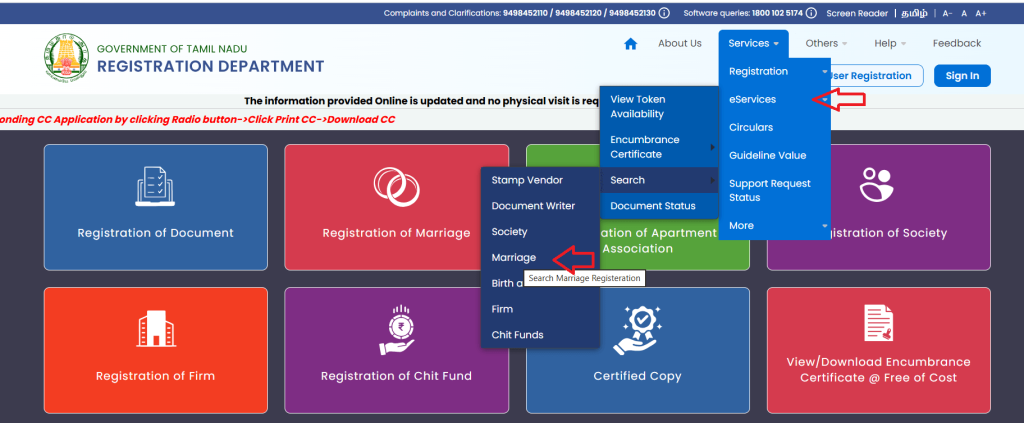
To download a marriage certificate online in Tamil Nadu, you need to visit the TN registration website https://tnreginet.gov.in open this website and select the main menu to eServices -> Search -> Marriage Certificate.
Open a new page and select the marriage type, next select register-wise or name-wise and fill in the details.
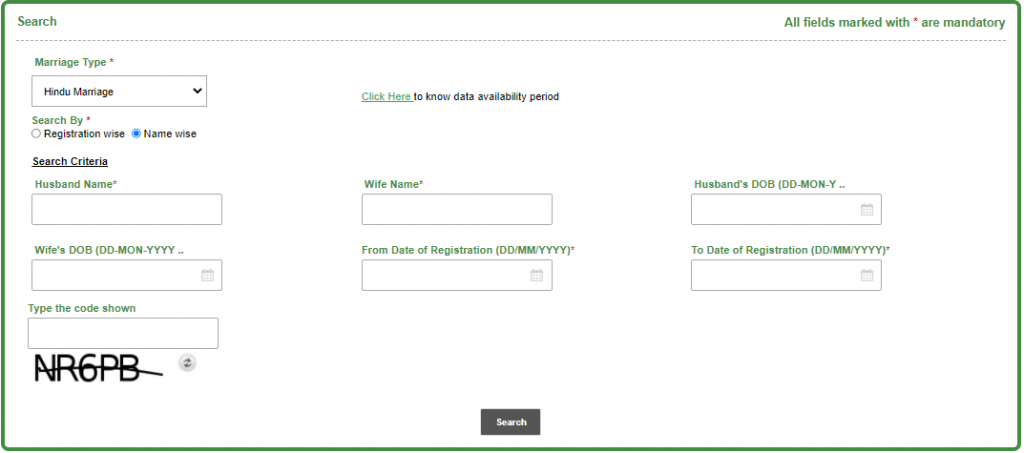
Click on the search button, and your marriage certificate will show on the computer screen.
How to Register a Marriage in Tamil Nadu?
If you want to register your marriage online in Tamil Nadu, then you need to log in to the TNREGINET website https://tnreginet.gov.in. Open this website and first register as a user.
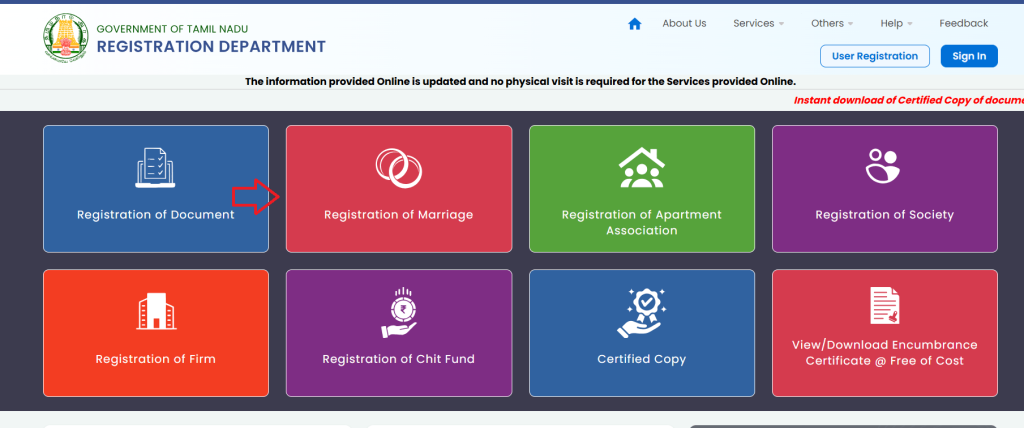
After login you can click on Registration of Marriage.
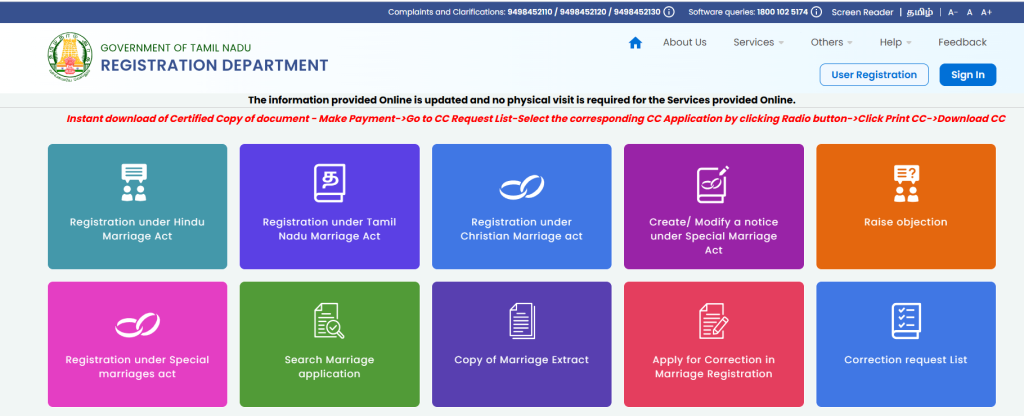
Select your marriage type and click on it.
Fill in application details and upload documents. Afterward, click on Submit Your Application Online. Now successfully apply for a marriage certificate. Now visit the government office along with the application printout and documents for verification.
Reference by: https://tnreginet.gov.in/

- Editor Staff
We have a strong background in digital publishing, SEO optimization, and content editing, with a focus on government services, transport, and online documentation guides.
- Download Birth/Death Certificate PDF in Punjab - eseva.punjab.gov.in October 24, 2026
- How to Apply for an Income Certificate in Arunachal Pradesh and Download October 22, 2026
- How to Download Birth and Death Certificate Form in Ranchi? October 22, 2026
- Download Birth/Death certificate Nagpur | NMC Birth Certificate Download October 19, 2026
- Download Birth Certificate online in Madhya Pradesh | Madhya Pradesh Death Certificate Download October 17, 2026
I.want certificate.
What is from date IGR and to date IGR
Showing error for the last one month.unable to access this site to download my marriage certificate.
now access this site please check
Cant download the certificate online