
How to do Gujarat Ration Card KYC online & Check Status at My Ration (Gujarat) App?
Anyone can do a Gujarat ration card e-KYC online, which is an easy process that can be done within a few minutes. All ration card holders need to complete ration card eKYC using Aadhaar. Ration card holders have to link their Aadhaar card. If your ration card doesn’t have eKYC, then don’t get ration on fair price. So, everyone must do a compulsory ration card eKYC with an Aadhaar Card.
If your Aadhar card does not link with your ration card, then do not complete the process online. You will need to visit the Ration card office.
Rations are distributed by the Food and Supplies Department, Government of Gujarat. In this guide, we will outline the steps to follow the full process with an image.
Gujarat Ration Card e-KYC online through My Ration (Gujarat) App
Anyone who wants to do the Gujarat ration card e-KYC online, follow the steps below:
First need to download My Ration (Gujarat) App from play store in your mobile.
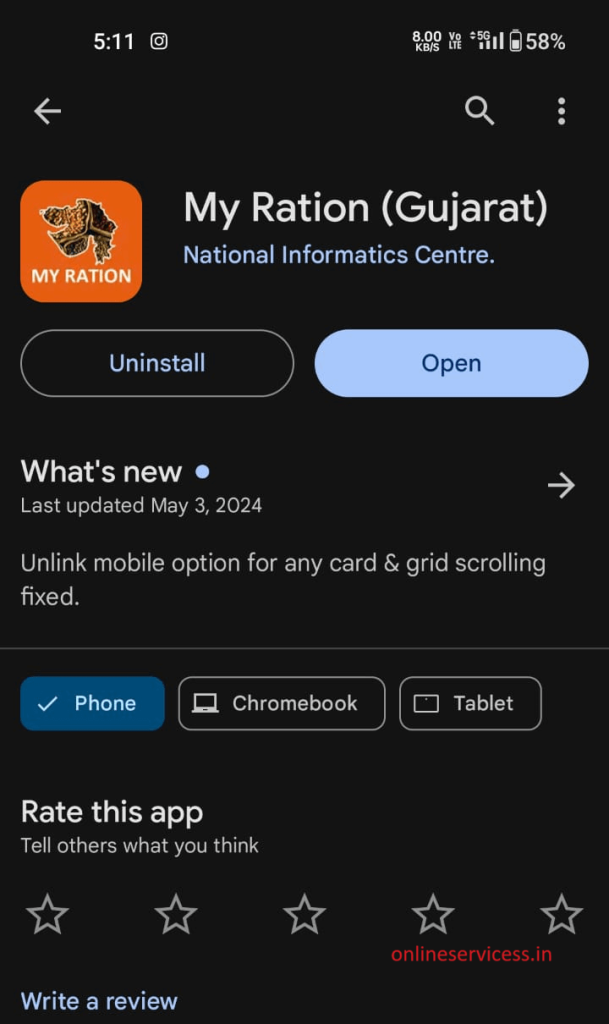
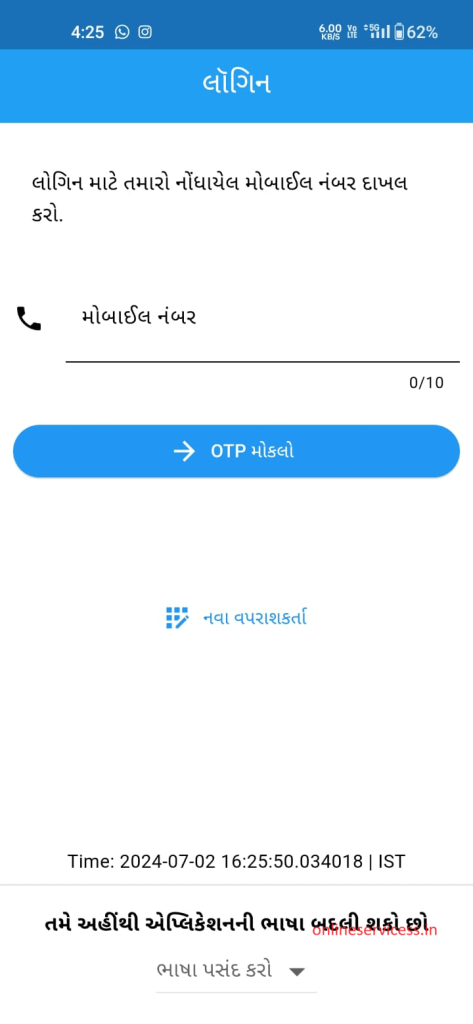
After installing the app on your mobile, open the app and log in with your mobile number. If you are using the app for the first time, then register yourself first.
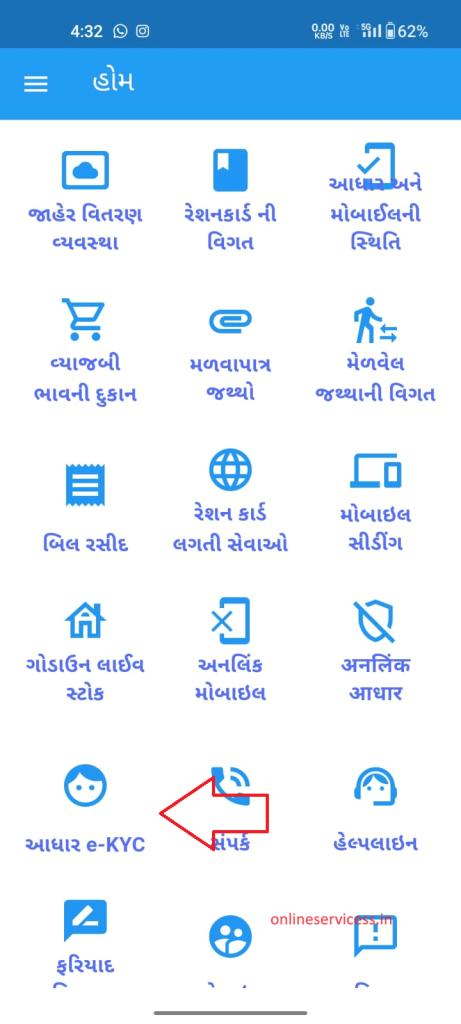
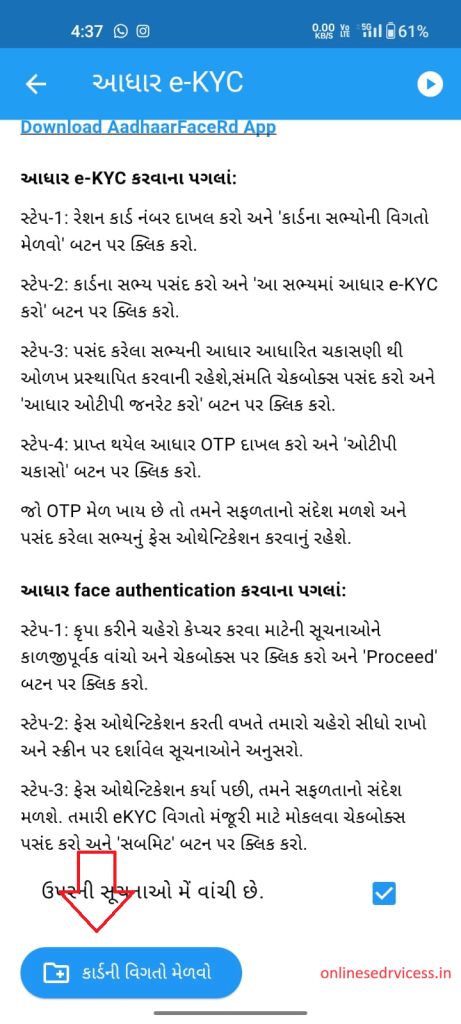
After Login, show all menus in the home screen, select Aadhar eKYC option.
Show instruction and download Aadharfacerd app on your phone.
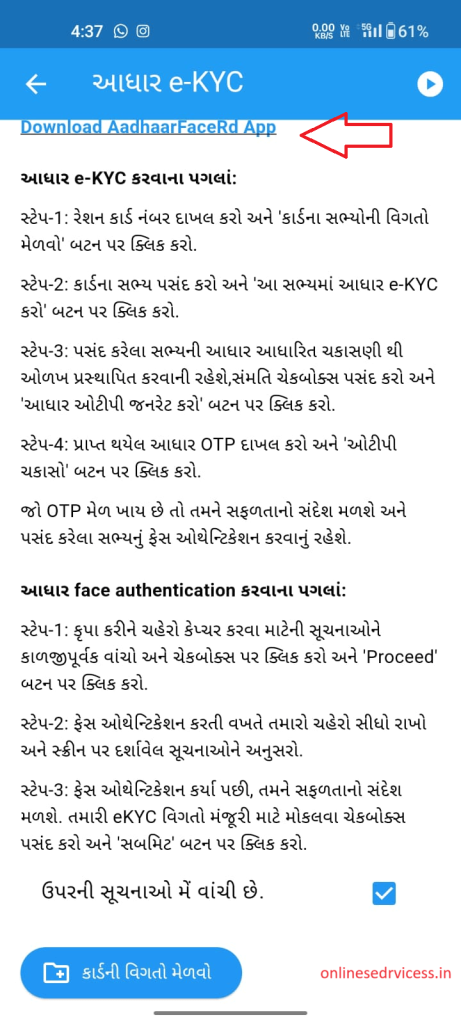
Click on ” Give Card Details “.
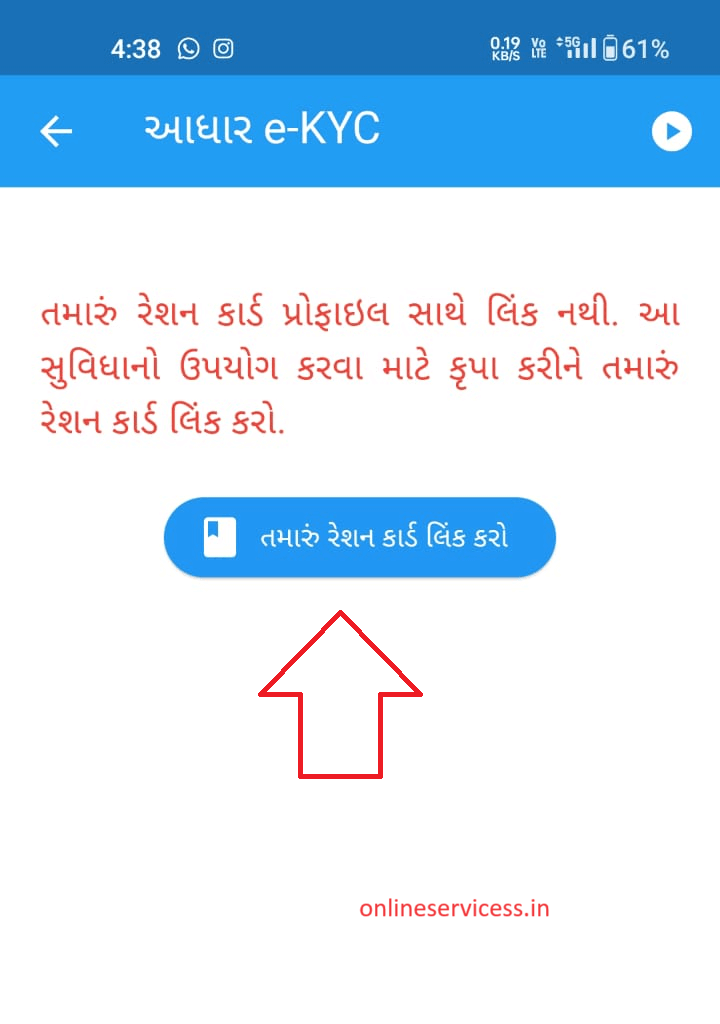
First, link your profile with the ration card, click it on button.
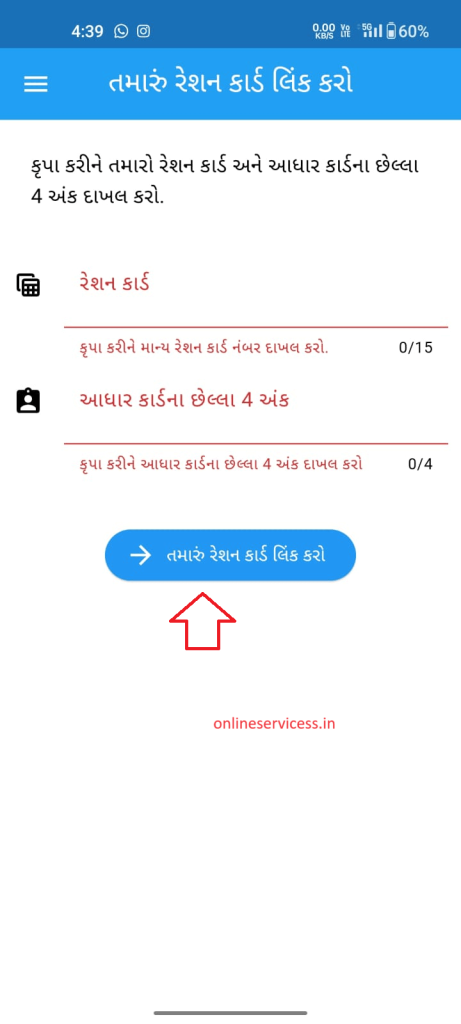
Enter your Aadhaar number and ration card number. click on Link Ration card button.
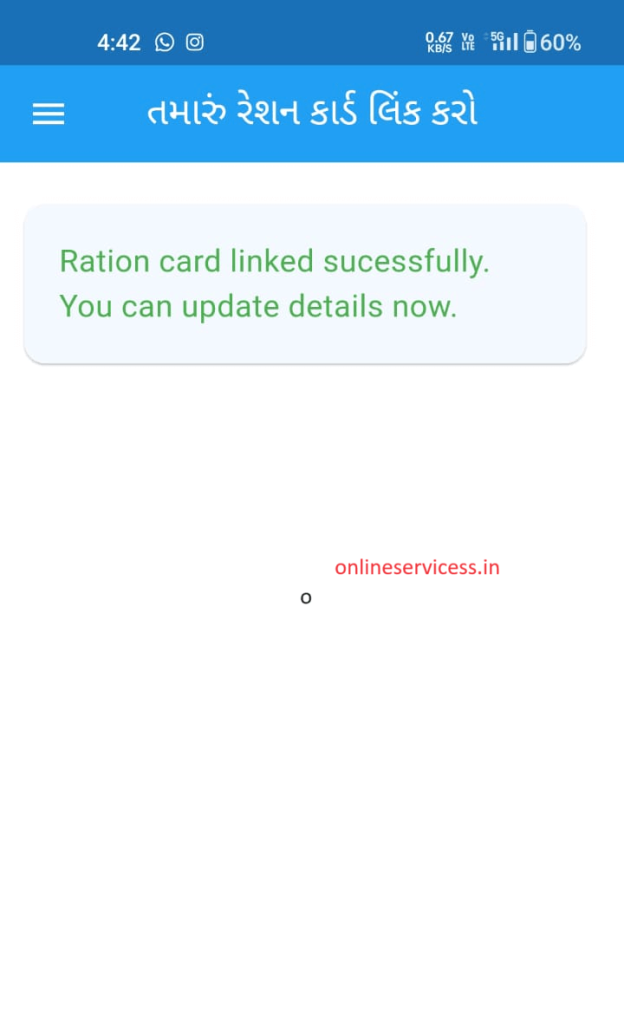
If the show message a Ration card link successfully, after app restart and login again.
Next select the Aadhar eKYC option.
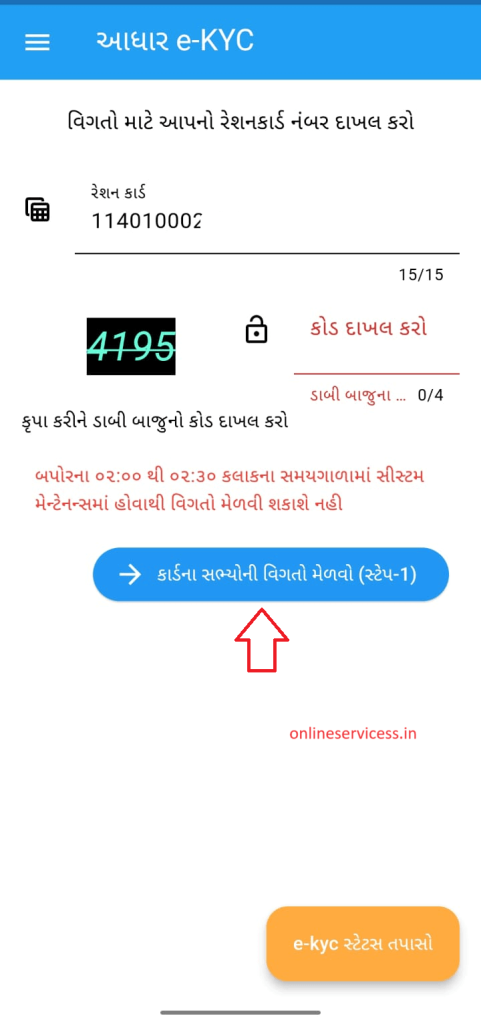
Enter the ration number and the captcha code, and click on the details of the ration card.
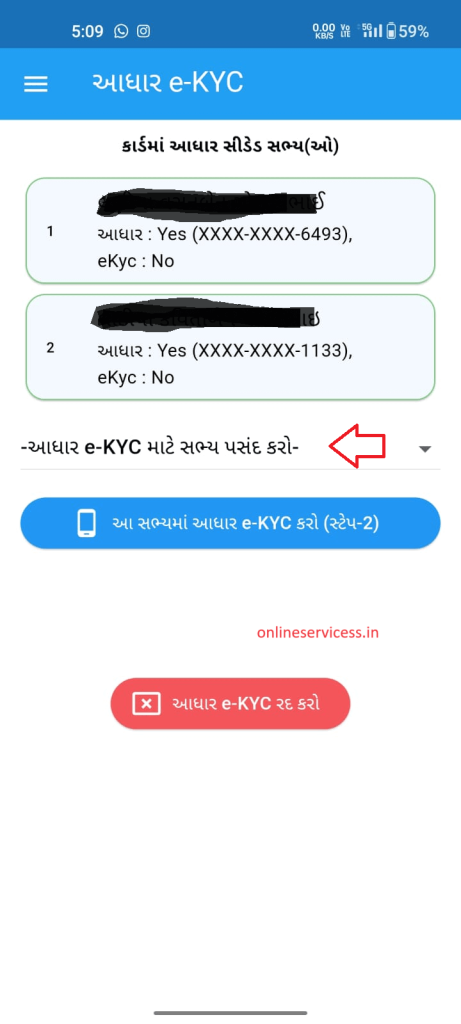
will show all member names and them ekyc status, select the member name for eKYC.
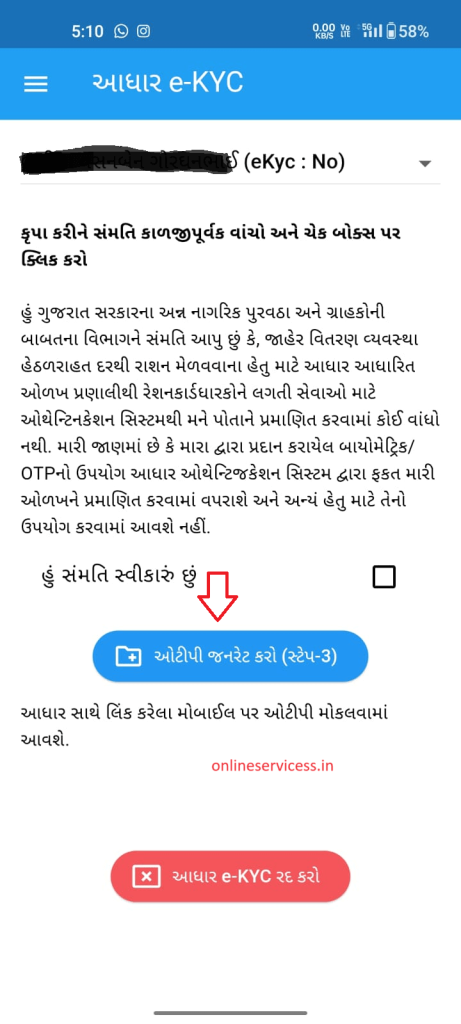
OTP generate and verify your Aadhaar card.
Now open the Aadharfacerd app and verify with face.
If the complete verification process is complete, then your eKYC is done.
How to Check Gujarat Ration Card eKYC status through My Ration (Gujarat) App ?
You can check the Gujarat ration card KYC online is an easy process that you can follow the steps below:
first need to download My Ration (Gujarat) App from the Play Store.
Log in with your mobile number.
Select the Aadhar eKYC option.
Enter your ration card number and captcha code.
will show all member details, and them eKyc status shows below the name.
Reference by: https://dcs-dof.gujarat.gov.in/index-eng.htm

- Editor Staff
We have a strong background in digital publishing, SEO optimization, and content editing, with a focus on government services, transport, and online documentation guides.
- Download Birth/Death certificate Nagpur | NMC Birth Certificate Download October 19, 2026
- Download Birth Certificate online in Madhya Pradesh | Madhya Pradesh Death Certificate Download October 17, 2026
- Birth & Death Certificate Bihar: Apply, Download, Check status October 15, 2026
- Download Birth and Death Certificate in Odisha - Easy to Apply Online October 12, 2026
- How to Find a Birth Certificate Online in Hyderabad October 10, 2026