
How to Correction on PAN Card Online using Protean?
The process of Pan Card correction is very simplified and has been made more accessible, enabling you to apply both offline as well as online. Anyone can apply for pan correction online using Protean PAN website. if you want to change in your name or date of birth, when you need to apply for correction application PAN Data (PAN Change Request Form).
How to Correction on PAN Online Using Protean?
Steps for correction on PAN Card:
First Go to Protean PAN services website: https://tinpan.proteantech.in/
Select in Services Section to PAN Option.
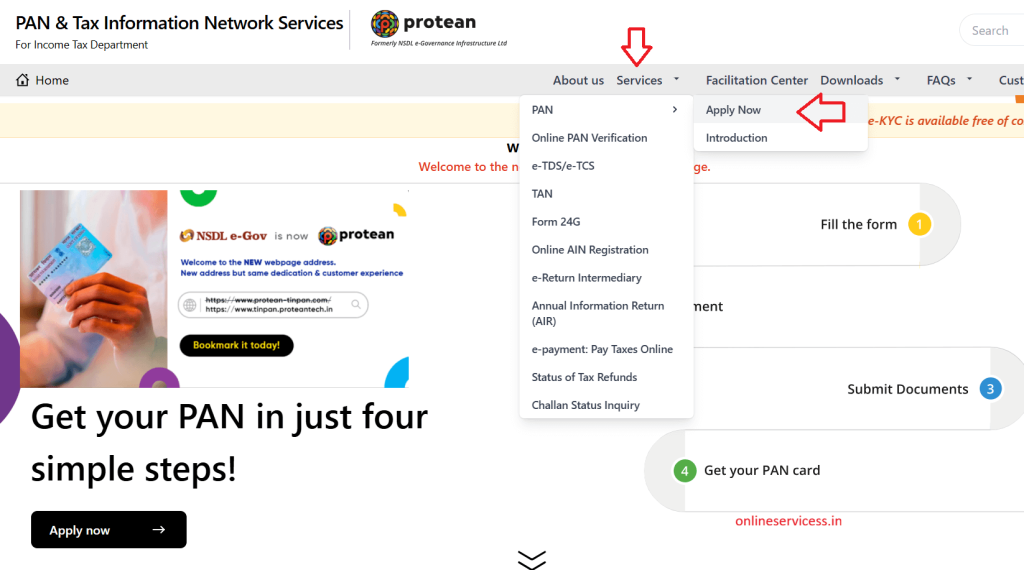
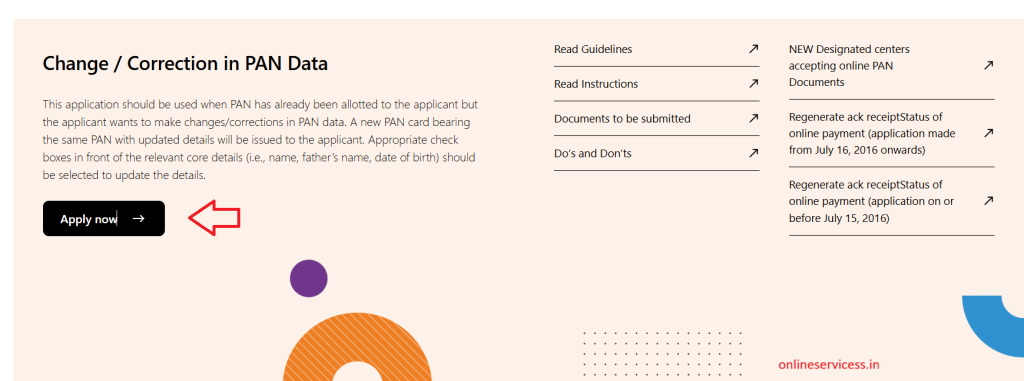
Next To scroll down and click on Change/correction in PAN Data to Apply Now.
Now select Change or Correction in existing PAN Data from Select PAN Application Types.
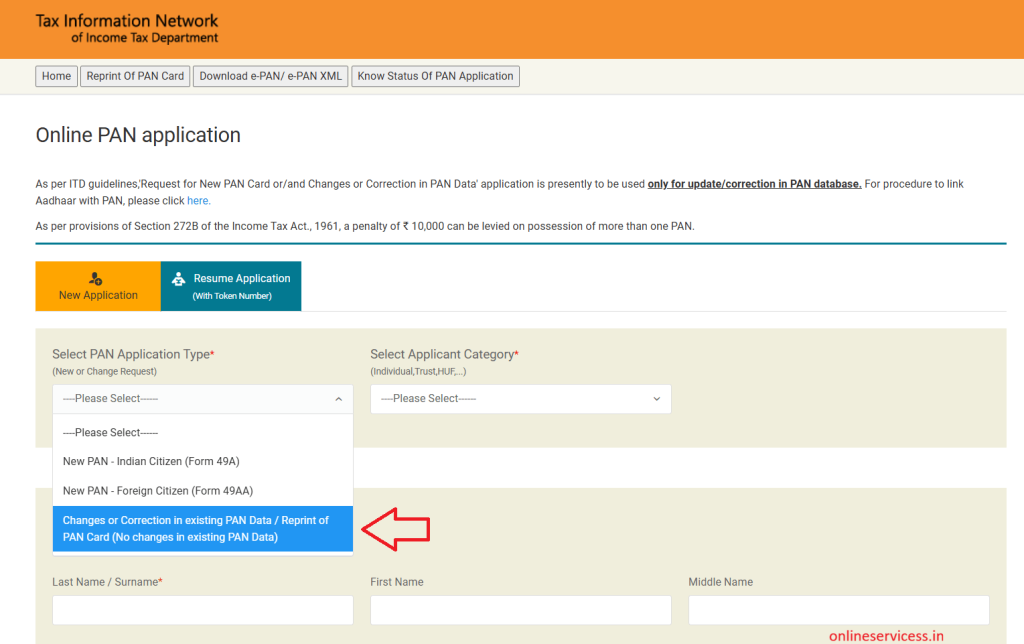
Fields marked by asterisk ( * ) are mandatory and click on Submit button.
Fill form Mention 10-digit PAN correctly and all other details. Next step is submit Form And print form
Pay Charge Online using net banking or debit card
Send to Document and form To NSDL office address
After print form and passport size photo, document to send post NSDL Pan Card Officc.
Protean eGov Technologies Limited,
4th Floor, Sapphire Chambers, Near Axis Bank Baner,
Baner Road, Baner, Pune – 411045.
All Documents to be Submitted Along with the Application.
reference by: Protean Addresses for PAN Centres – Protean Pan & Tan Services.

- Editor Staff
We have a strong background in digital publishing, SEO optimization, and content editing, with a focus on government services, transport, and online documentation guides.
- How to Check vf6 (Hak Patrak 6) online in Gujarat - anyror March 29, 2026
- Marriage Certificate Download in Gujarat - eNagar.gujarat.gov.in March 27, 2026
- Download Birth and Death certificate in Telangana March 26, 2026
- How to Download Marriage Certificate in Goa? March 24, 2026
- Check Vehicle Ownership (RC) Transfer Status | Vahan Parivahan Ownership Transfer Status March 21, 2026