
How to Download Marriage Certificate in Madhya Pradesh (e Nagar Palika)
The Madhya Pradesh government also tries to make all services available online. Currently, the Government of Madhya Pradesh has launched many services online, such as marriage certificates, birth certificates, death certificates, property tax payments online, etc. In this post, we will explain the process of registration for the Marriage Certificate and how to download the Marriage Certificate.
Require documents for the Marriage Certificate in Madhya Pradesh
- Online Application form.
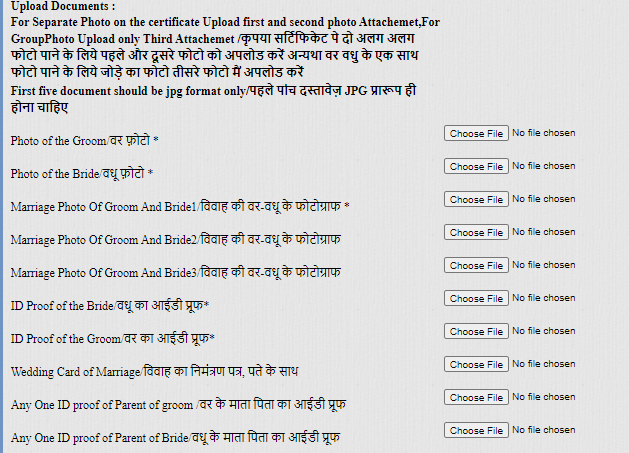
- 1-1 Passport-size photos of the Groom and Bride separately.
- 3 Marriage Photos of Groom and Bride.
- ID proof of Groom and the bride.
- Wedding card for marriage.
- Any one ID proof of the parents of Groom and Bride.
- Oath Letter of Groom and Bride (in case of more than twenty days of Registration).
- Priest/Institute Certificate in case of Marriage done in Temple or Arya Samaj.
- Marriage hall Receipt/Punchnama from parshad.
- Documents required to verify the Groom and Bride Date. – Birth Certificate/Driving License/Aadhar Card/Marksheet Photocopy.
- Affidavit from Groom and Bride with undertaking.
- 2 Witness ID proof with Address.
- Non-availability Certificate photocopy.
How to download a Marriage Certificate in Madhya Pradesh?
If you have already registered for a marriage certificate, then you can download it. Below shows a process to download a Marriage Certificate.
First, visit the MP e Nagar Nigam official website: MP e-Nagar Palika and now open the home page.
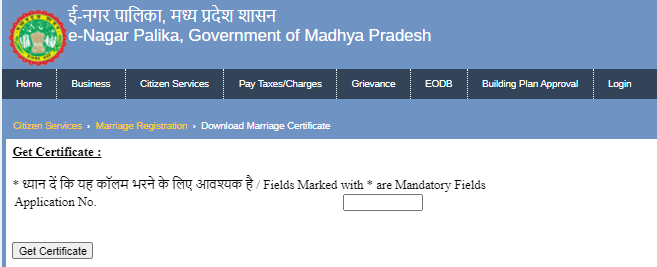
Now select the menu to Citizen services ->marriage registration -> download marriage registration.
After clicking, open a new page, enter your application number and click on get certificate
Show your certificate on screen and you can download it.
How to Register for a Marriage Certificate in Madhya Pradesh?
Applying the Marriage Registration form online at the e-NagarPalika portal of Madhya Pradesh: https://enagarpalika.mp.gov.in. Open this website.
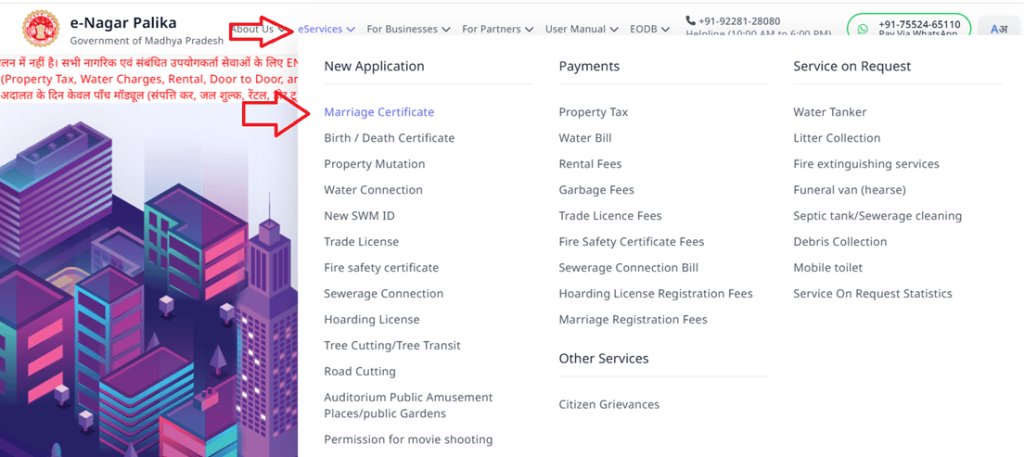
Now select from the main menu to eServices ->marriage registration -> online form marriage registration.
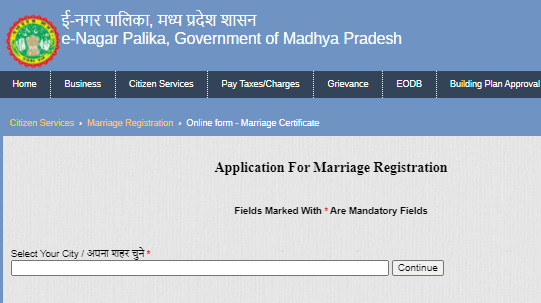
After click open marriage certificate form, select your city first and click on continue.
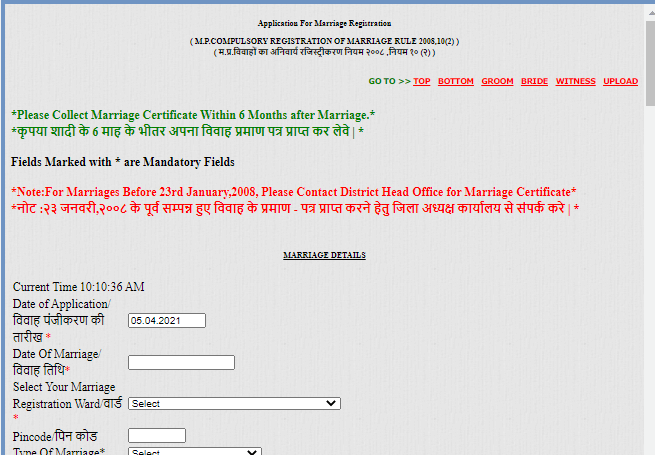
Open the form and fill in all details, such as the groom’s details and the bride’s details.
Upload all document and photo and other require document.
Now, click on continue and successfully register your marriage certificate. Generate a reference number for a successful submission application, and save this reference number for further use.
Help Line for MP eNagar Palika
If you have any questions or want any information, please contact the help line of MP Nagar Nigam
E-mail ID:
employeehelpdesk@mpurban.gov.in
citizenhelpdesk@mpurban.gov.in
Toll-Free Contact Number:
18002335522

- Editor Staff
We have a strong background in digital publishing, SEO optimization, and content editing, with a focus on government services, transport, and online documentation guides.
- Download Birth/Death certificate Nagpur | NMC Birth Certificate Download October 19, 2026
- Download Birth Certificate online in Madhya Pradesh | Madhya Pradesh Death Certificate Download October 17, 2026
- Birth & Death Certificate Bihar: Apply, Download, Check status October 15, 2026
- Download Birth and Death Certificate in Odisha - Easy to Apply Online October 12, 2026
- How to Find a Birth Certificate Online in Hyderabad October 10, 2026