
How to Check Driving Licence Status – Steps by Steps guide
You don’t need to go to the RTO office to check DL application status because an online facility is available via the Sarthi Parivahan website or the regional transport website. With the help of the Sarathi Parivahan website, you can check the application status of your driving licence, after 30 days of passing the driving skill test at the RTO.
How to Check Driving Licence Application Status online?
Anyone who wants to check the driving licence application status online in India, please follow the steps below:
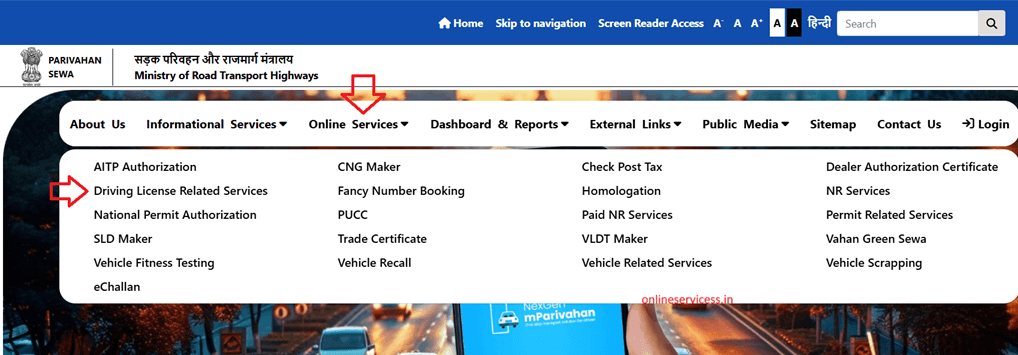
Step 1: First, visit sarthi parivahan website https://parivahan.gov.in and open this website.
Step 2: Select from the main menu to Online Services > Driving Licence Related Services.
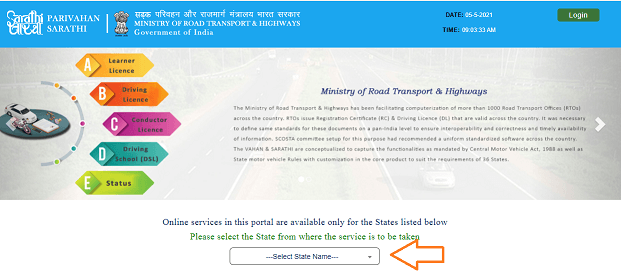
Step 3: Open a new page and select your state.
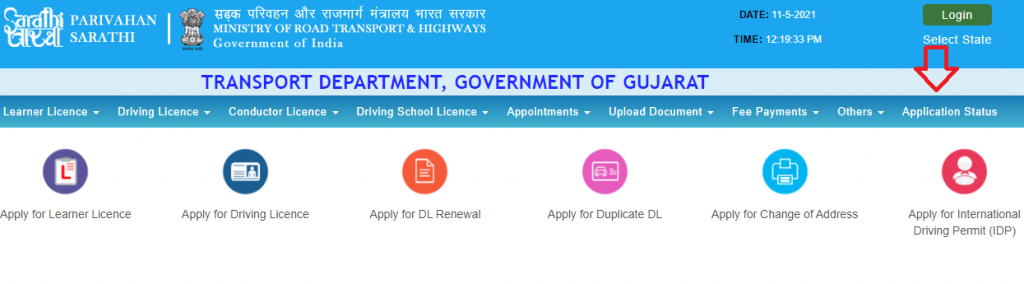
Step 4: Now select from the main menu to “Application status“
Step 5: Enter the application number, enter Date of Birth, and captcha code.
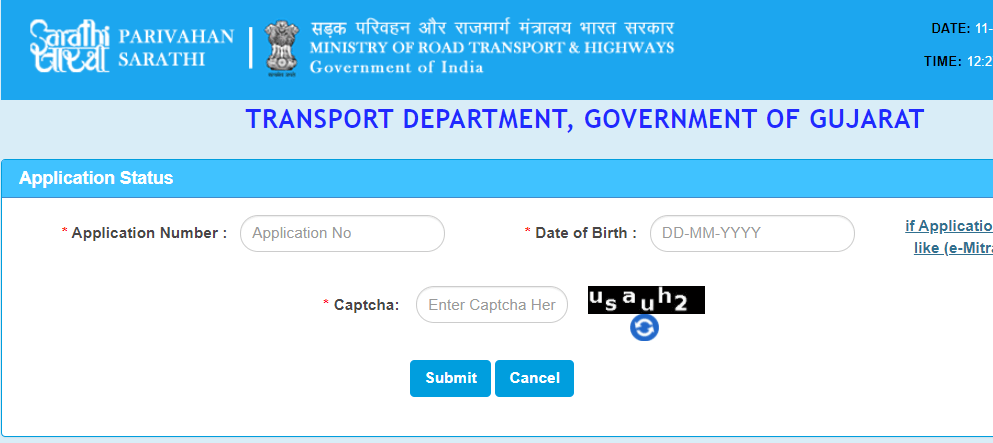
Step 6: Click on submit button and show your application status on your screen.
Refence by: https://parivahan.gov.in/
Watch video for DL status online.
Read more:

- Editor Staff
We have a strong background in digital publishing, SEO optimization, and content editing, with a focus on government services, transport, and online documentation guides.
- How to easy Download Pan Card pdf online? April 1, 2026
- How to Check vf6 (Hak Patrak 6) online in Gujarat - anyror March 29, 2026
- Marriage Certificate Download in Gujarat - eNagar.gujarat.gov.in March 27, 2026
- Download Birth and Death certificate in Telangana March 26, 2026
- How to Download Marriage Certificate in Goa? March 24, 2026