
How to Apply Pan Card Online using NSDL portal?
Apply pan card online is very easy process using of NSDL portal, in this article we guide a how to apply online application for Pan card. Pan card is an essential document for bank account or financial activity. If you have turned 18, you can apply for pan card online or offline.
Read More: Instant e-PAN Card Online | Instant Download Pan card
Table of Contents
How to Apply for Pan card online Using NSDL?
Everyone Easily can Apply pan card application online using NSDL website.
Steps for Apply Pan Card
Step 1: First Go to NSDL Website https://www.onlineservices.proteantech.in/paam/endUserRegisterContact.html
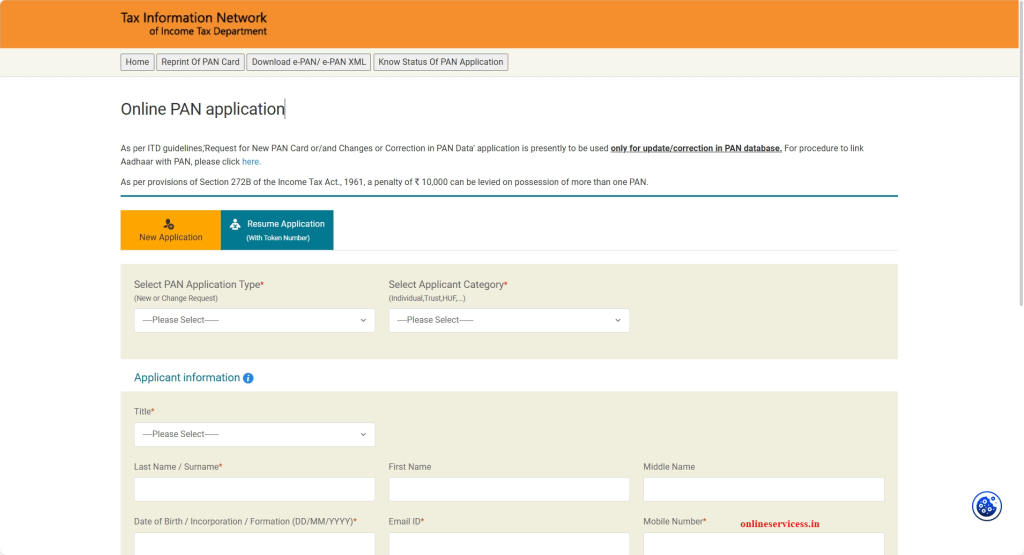
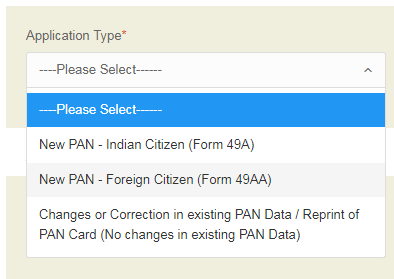
Step 2 : Select Application Type to New Pan – Indian Citizen (Form 49A)
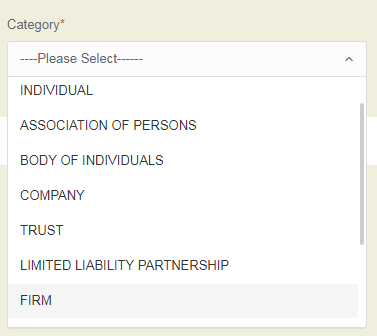
Step 3 : Select Category
Step 4: After You Fill Your Personal details like a Name, Date of birth and more, after you fill form enter captcha code and submit form
Step 5: After Submit form next step to go click on Continues with pan Application Form
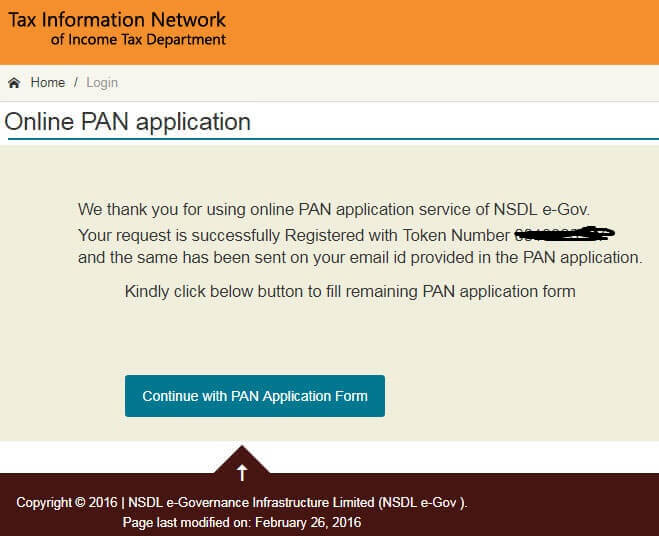
Step 6: Next to submit e-KYC show below image
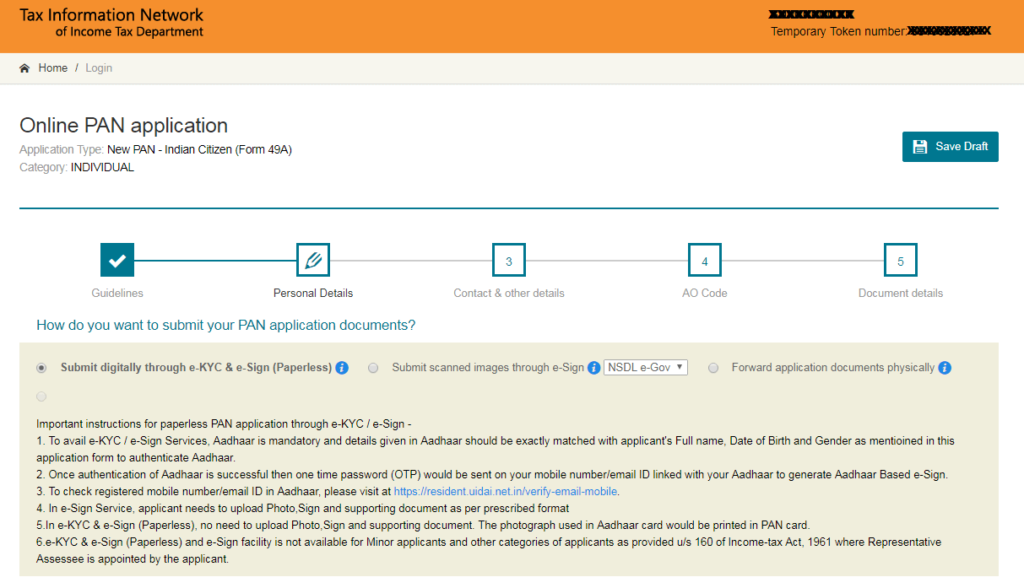
Step 7: Submit your kyc, enter you detail and fill name
Step 8: Next is AO Code enter (you can find your address AO Code visit https://tin.tin.nsdl.com/pan/servlet/AOSearch )
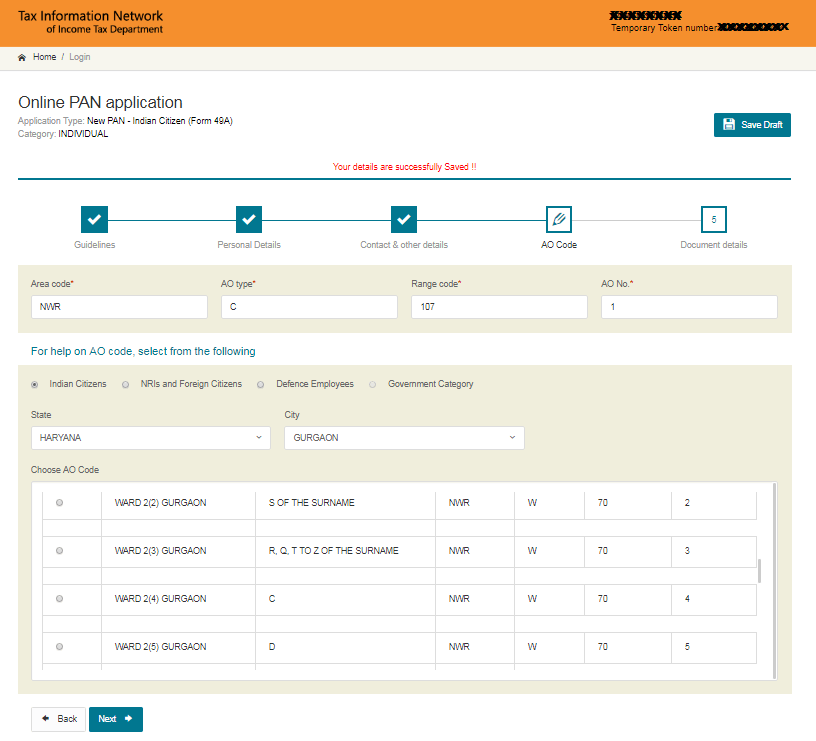
Step 9: Enter Details and select document
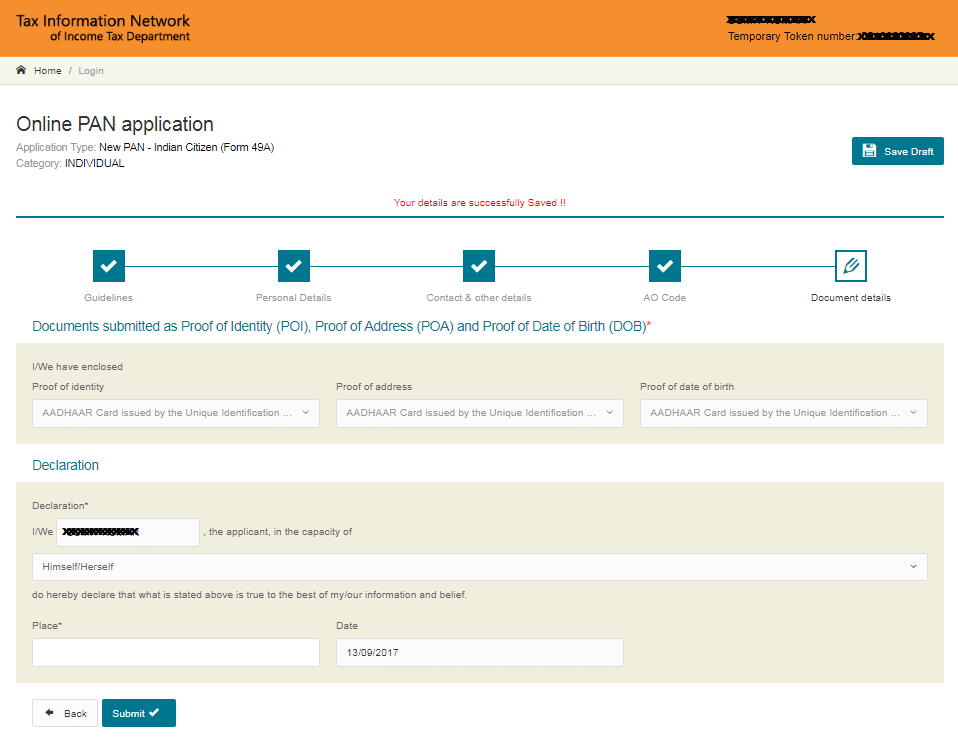
Step 10: Check All Details Correct then submit your application
Step 11: After submitting your application redirect to payment option, Two option available one is demand draft second is online payment
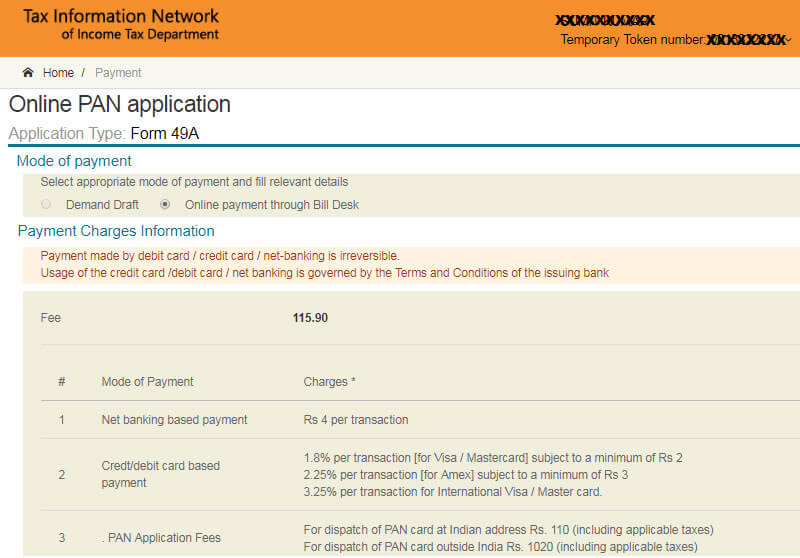
Step 12: If you pay Online payment after Generate acknowledgment number and print this form, acknowledgment number use to check application status
Step 13: After print form and passport size photo, document to send post NSDL Pan Card Office.
NSDL e-Governance Infrastructure Limited,
5th floor, Mantri Sterling, Plot No. 341,
Survey No. 997/8, Model Colony,
Near Deep Bungalow Chowk,
Pune – 411016′
- must write on post cover‘ APPLICATION FOR PAN- N-Acknowledgment Number
Step 14: After 7 days of submit your application, you can check your status online
Direct Link for New Pan Card Application: https://www.onlineservices.proteantech.in/paam/endUserRegisterContact.html
Charges of Pan Card for Online Application
Charge of pan card is 120 rupees.
Required Document for apply pan card online
1. Date of Birth Proof (Anyone)
- Aadhar card
- Voter ID
- Driving License
- Passport
- Ration Card with Photo
- Photo Proof ID
- Government ID
2. Adress Proof (Any One)
- Electricity Bill
- Water Bill
- Landline BIll
- Gas Bill
- Bank Passbook
How to Reprint Pan Card online ?
Reference By: NSDL website https://www.onlineservices.proteantech.in/paam/endUserRegisterContact.html
Read More:

- Editor Staff
We have a strong background in digital publishing, SEO optimization, and content editing, with a focus on government services, transport, and online documentation guides.
- How to easy Download Pan Card pdf online? April 1, 2026
- How to Check vf6 (Hak Patrak 6) online in Gujarat - anyror March 29, 2026
- Marriage Certificate Download in Gujarat - eNagar.gujarat.gov.in March 27, 2026
- Download Birth and Death certificate in Telangana March 26, 2026
- How to Download Marriage Certificate in Goa? March 24, 2026