
How to Change Address on Aadhar card Online at Home?
Anyone want to change their address on their Aadhaar card doesn’t need to go to the Aadhaar Center near you. These services are available online. There is an option to change the Aadhaar card as and when required, if any wrong information is entered in Aadhaar. You can update your Name, Date of Birth, Gender, Address, and Language Online.
Read More : How to Download Aadhar Card online ?
Required Documents for Changing Address in Aadhar Card
Table of Contents
Proof of Address(any one)
- Passport
- Bank Statement/ Passbook
- Ration Card
- Voter ID
- Driving License
- Government Photo ID cards/ service photo identity card issued by PSU
- Electricity Bill (not older than 3 months)
- Water Bill (not older than 3 months)
- Telephone Landline Bill (not older than 3 months)
- Property Tax Receipt (not older than 1 year)
Aadhaar Address Update Fees
It will cost ₹75 to update any Aadhaar.
How to change the address in the Aadhar Card online?
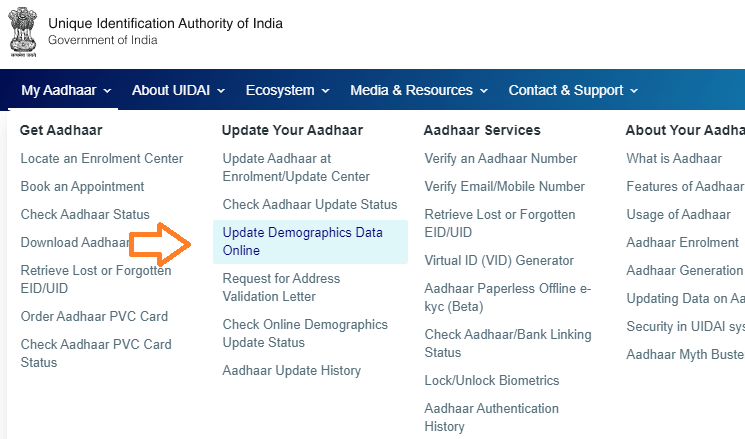
People want to change their address on the Aadhar card online. First of all, visit the official website of UIDAI- https://uidai.gov.in and click on the menu “My Aadhaar” to select the option ” Update Demographics Data Online ” which appears on the home page.
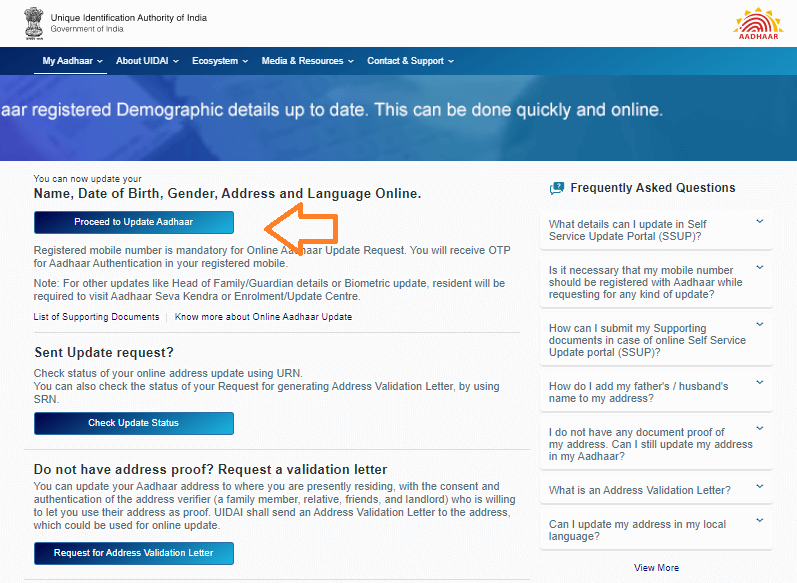
3. Second window open and login with your Aadhaar card, after login, you have to select proceed to update aadhar.
4. In the second window you have to fill your Aadhaar number and captcha and click on the send OTP button below.
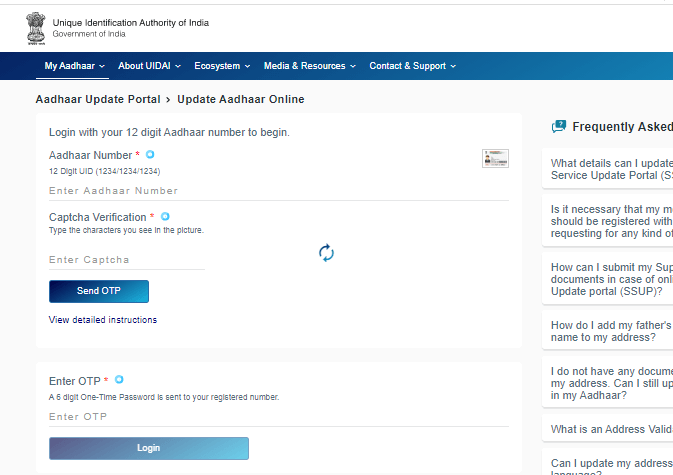
5. After this, you will receive OTP on your registered mobile number. Enter OTP / TOTP where OTP is given below and click Login. After this you will reach the update portal.
6. Click on the Address Update check box here. On this page, you have to click on update address via address proof.
7. Now you have to fill the information of your new address in English and your local language.
8. Finally, upload the picture of the appropriate documents and check the given information thoroughly.
9. After filing the form, your application will be verified.
10. After verification, your address will be changed on the Aadhar card and new card will be sent to your updated address by post.
How to Check Aadhaar Card Address Update Status Online?
Want to check Aadhar card address update status online,Then go to UIDAI website and click on the menu “My Aadhaar” to select the option ” Update Demographics Data Online ” which appears on the home page.
Open New page and select ” check update status ” option.
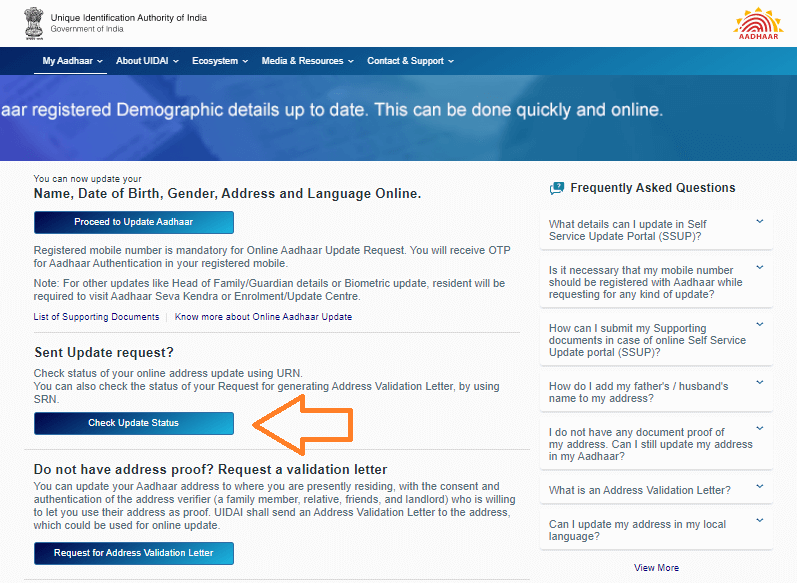
On the next page, you have to fill in your Aadhaar number and URN (update request number).
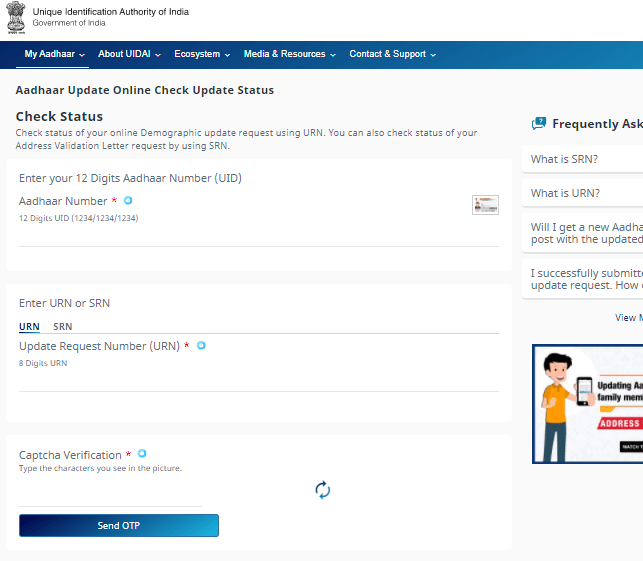
- Fill the captcha and press the Send OTP button.
- Enter You received OTP And press the check status button.
- You will get information about your update request here.
Reference by: UIDAI website

- Editor Staff
We have a strong background in digital publishing, SEO optimization, and content editing, with a focus on government services, transport, and online documentation guides.
- Download Birth/Death certificate Nagpur | NMC Birth Certificate Download October 19, 2026
- Download Birth Certificate online in Madhya Pradesh | Madhya Pradesh Death Certificate Download October 17, 2026
- Birth & Death Certificate Bihar: Apply, Download, Check status October 15, 2026
- Download Birth and Death Certificate in Odisha - Easy to Apply Online October 12, 2026
- How to Find a Birth Certificate Online in Hyderabad October 10, 2026
Address change